Record bookings for a holiday let
A holiday let doesn't have tenancies — it has stays. Set a property's type to Holiday let and it gets a Bookings tab instead of Tenants & Leases, where each stay is one record: who came, which nights, and what they paid.
Open the property's Bookings tab
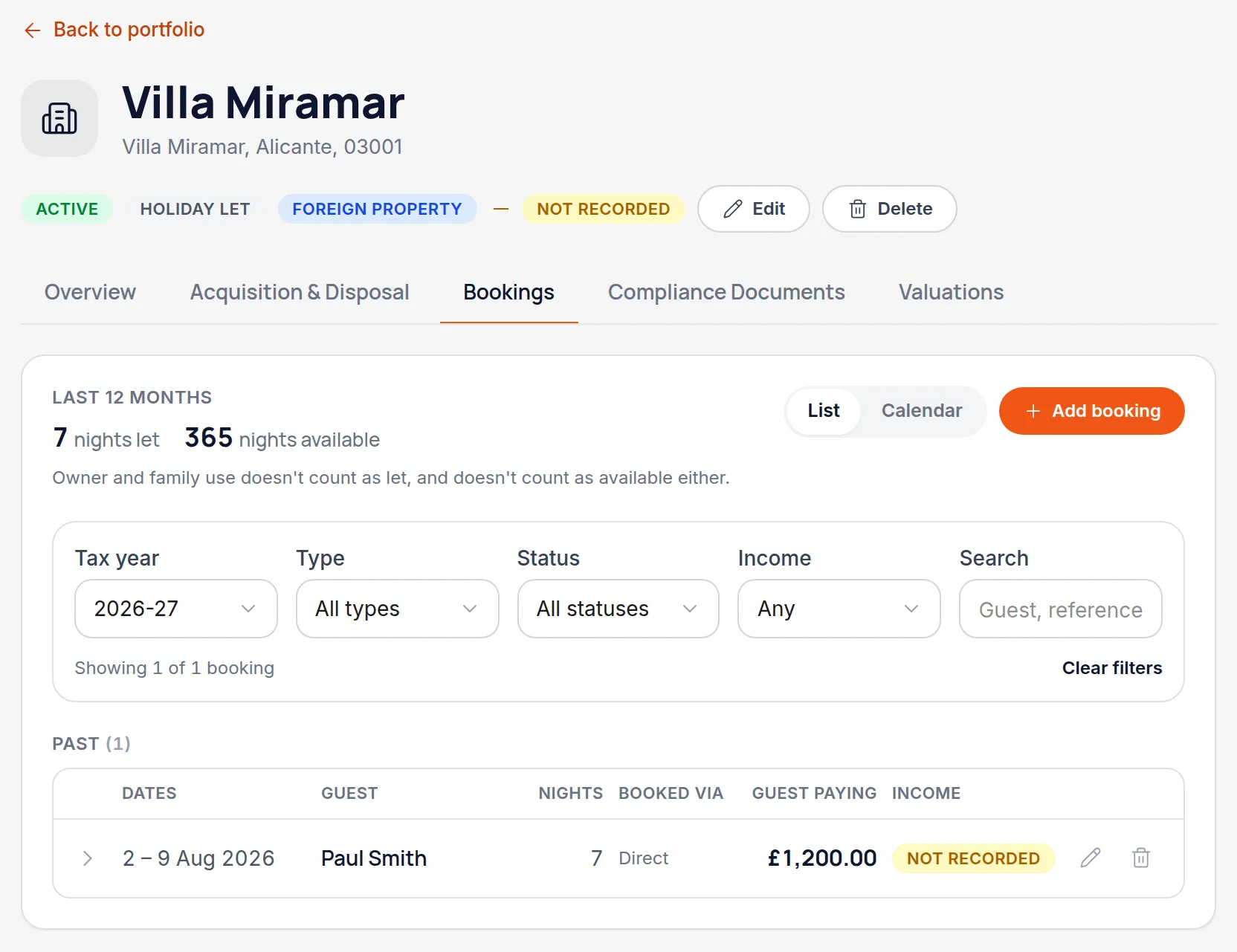
The tab appears on any property whose type is Holiday let, and shows one line per stay, grouped into current, upcoming and past. Click a stay to open its detail. The counters at the top total the nights.
Worth knowingA busy let runs dozens of stays a year, so the list opens on the current tax year and can be narrowed by type, status, whether the income has been recorded, or a search over guest names and booking references. Switch to “Calendar” to see the same bookings as nights on a month grid — click a booked night to open that stay, or click a free night and then the last night to start a booking with those dates already filled in.
Add a booking and say what kind it is
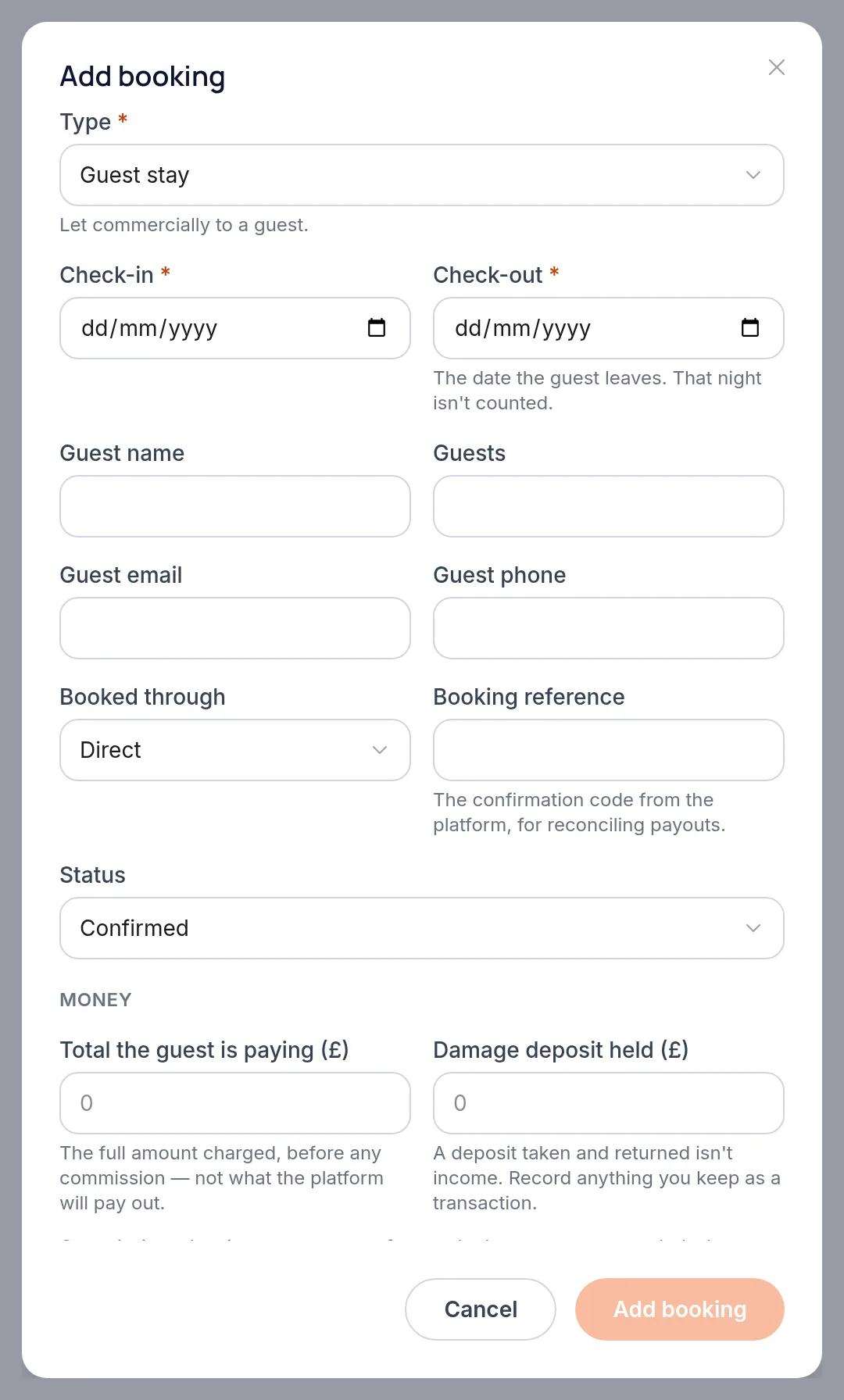
Choose Add booking, then set the type first because it changes what the rest of the form asks for. “Guest stay” is a commercial let and takes guest and payment details. “Owner / family use” covers you, family or friends — including at a reduced rate. “Closed” blocks the dates off for repairs, refurbishment or the off-season.
Worth knowingThe distinction isn't bookkeeping tidiness. Owner and family use and closed dates are both excluded from the nights-let count, and owner use doesn't count towards nights available either.
Enter the dates and what the guest is paying
Check-in and check-out are required and the dialog counts the nights as you type. “Total the guest is paying” is the full amount charged before any commission — not the payout you'll receive. If dates clash with an existing booking, Handled names the booking they clash with and won't let you save; back-to-back stays are fine.
Worth knowingA damage deposit isn't income while you're only holding it. Record it in its own field, and enter a transaction only for anything you end up keeping.
Record the money against the booking
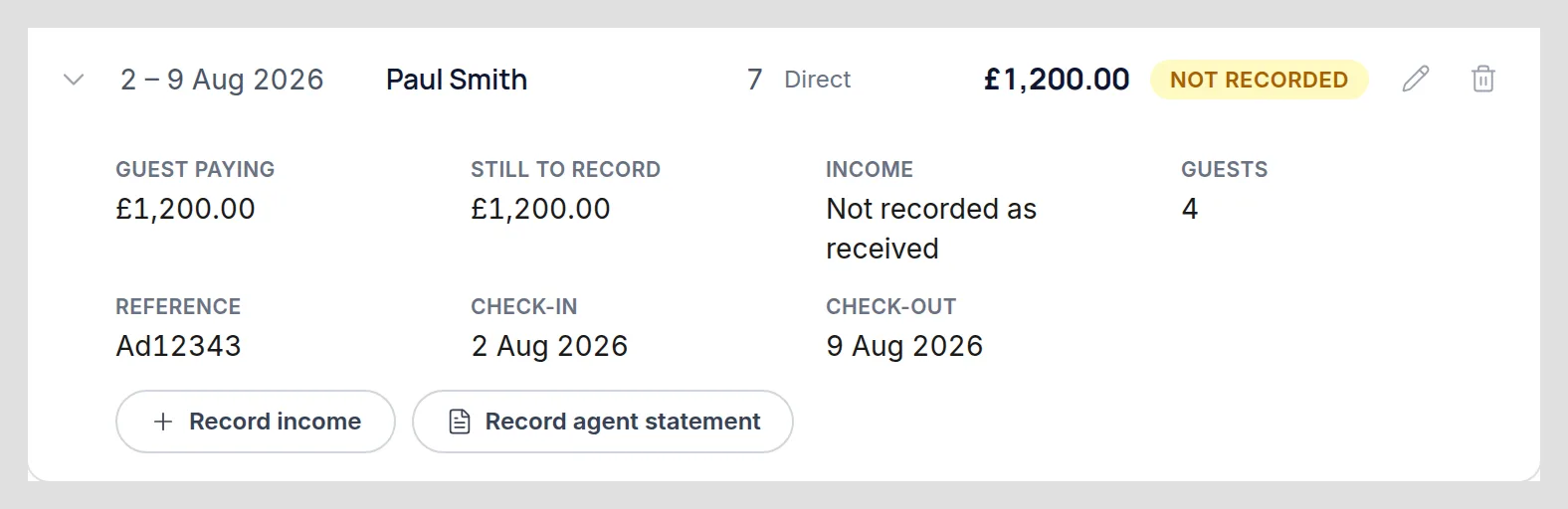
Saving a booking doesn't record any income — it records the stay. The booking then offers two routes, and which one is right depends on how the money reached you. “Record income” is for a stay paid straight to you, and opens a transaction with the property, the amount and the booking already filled in. “Record agent statement” is for a booking that arrives net, with commission and fees already deducted: it records the gross and the deductions together, which is what gets the full amount onto your return with the costs claimed against it.
Worth knowingThe badge tracks what you've actually entered, not what you've been promised: a priced booking reads “Not recorded” until money is entered against it, then “Part recorded” and finally “Recorded”. A booking with no price at all reads “No amount set”. Open the stay for the fuller wording. If a platform pays one lump covering several stays, record it as a single income transaction with a line per booking.
Watch the night counts if you let in the UK
The counters show nights let and nights available over the last 12 months. For a UK holiday let those are the two figures a business-rates assessment looks at, so they're worth keeping honest. Nights inside stays longer than 28 nights are called out separately — they aren't short-term lets, so they don't count towards nights let.
Worth knowingHandled reports the counts and leaves the conclusion to you: the thresholds differ across England, Wales and Scotland, and whether you meet them isn't a judgement the app makes. An overseas holiday let still gets the counts, without the business-rates framing.
All names, addresses and figures in these screenshots are illustrative sample data.
Related
Put a cost against the right property and the right HMRC category.
See cumulative income and expenses per property business, and what each deadline needs.
Create the property record everything else hangs off — address, type, ownership and status.
Didn’t answer your question?
Email support@handledproperty.co.uk and tell us what you were trying to do. Or browse the rest of the knowledge base.