Change the rent during a tenancy
A rent change isn't an edit to the tenancy — it's a new amount from a particular date. Recording it that way keeps last month's figures as they were and reprices only what's still to come.
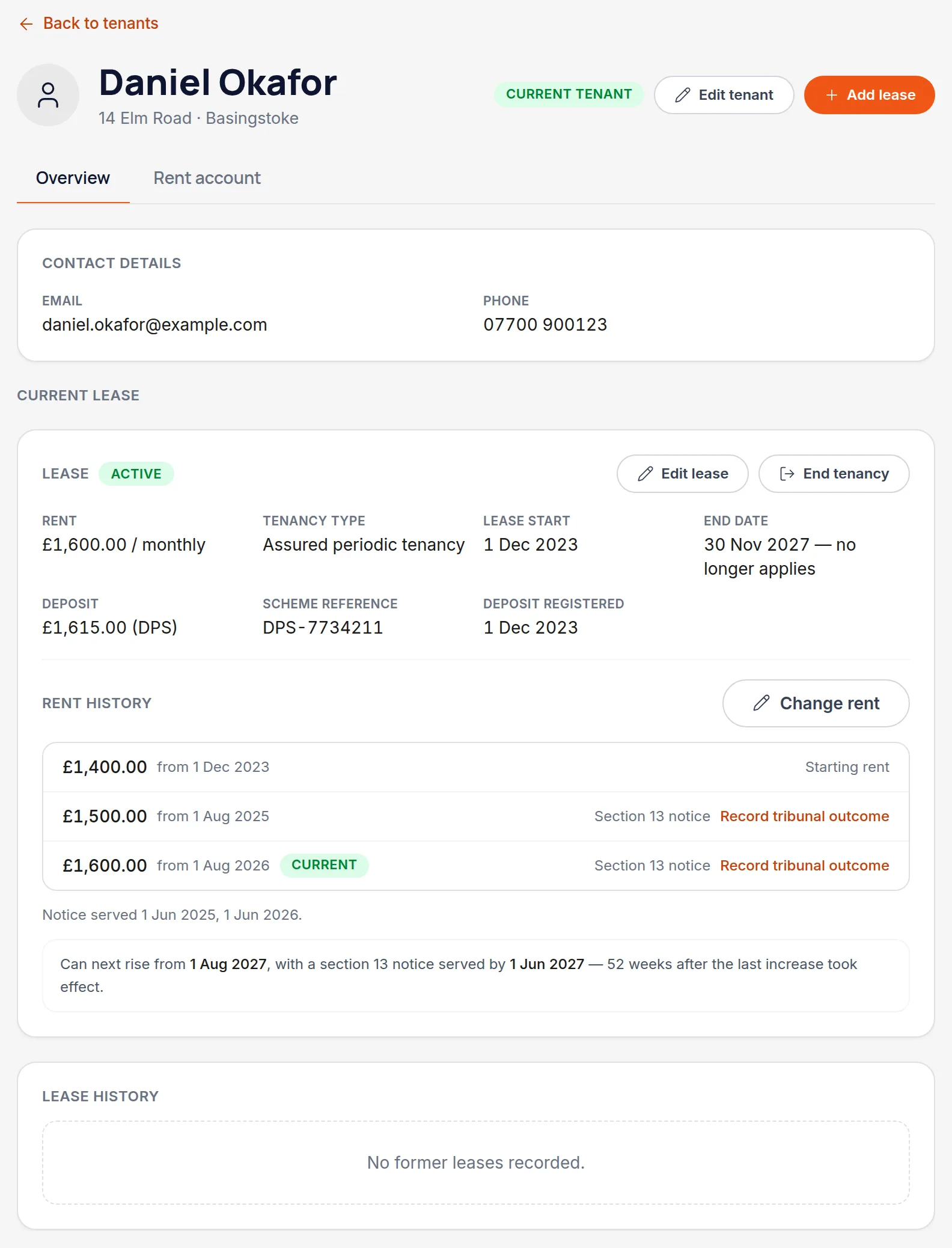
Open the tenant and choose Change rent
It's on the tenant's Overview tab, next to the current rent — deliberately not inside Edit lease, because changing the rent from today is a different thing from correcting what the rent has always been.
Enter the new rent and the date it takes effect
Charges from that date forward are repriced. Anything already paid, or already adjusted by hand, is left exactly as it was.
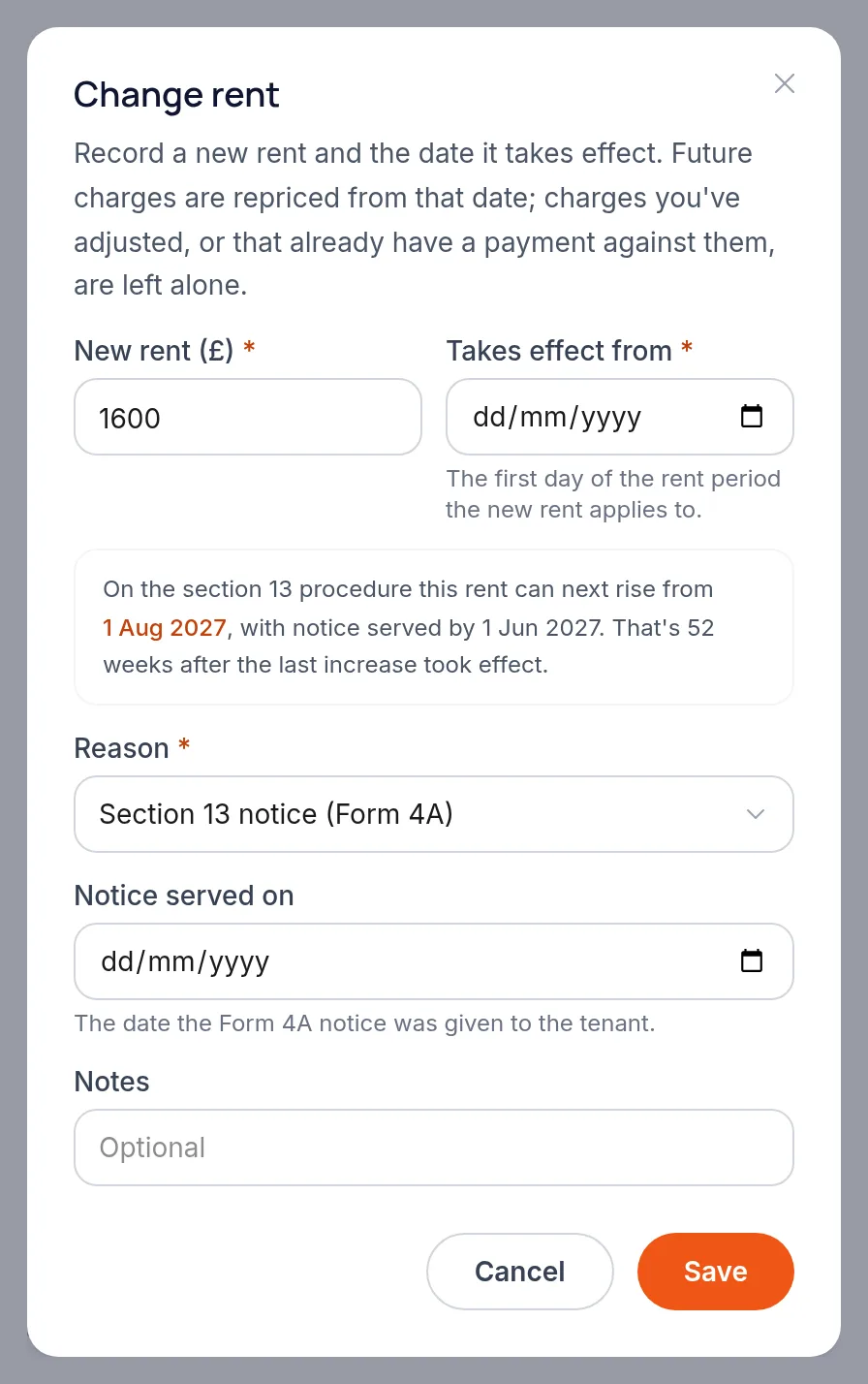
Record how the increase came about
Reason and the date notice was served are kept with the change. If a tenant challenged the increase and a tribunal determined it, that can be recorded too, with the amount it settled on.
Worth knowingThis is a record of what happened, not a substitute for serving valid notice. Handled keeps the history; the notice itself is still yours to serve properly.
Read the warning if one appears
If the date you've typed would fall foul of the rules for that tenancy type — too soon after the last increase, or too little notice — Handled says so and explains why. It never blocks the save, because you may be recording something that already happened.
Check when you can next increase it
Once saved, the tenancy shows the earliest date a further increase could take effect, so the question doesn't need working out again.
All names, addresses and figures in these screenshots are illustrative sample data.
Related
Create the tenant, link them to a property, and set the rent, dates and deposit scheme.
Match a payment to the rent charge it settles, so the balance stays honest.
Six reports covering tax, income, arrears, yield and valuation — and how to print them.
Didn’t answer your question?
Email support@handledproperty.co.uk and tell us what you were trying to do. Or browse the rest of the knowledge base.