Add a tenant and record the tenancy
One form covers both the person and their tenancy. You'll need the property to exist first, and it helps to have the tenancy agreement to hand for the dates and deposit reference.
Go to Tenants and choose Add tenant
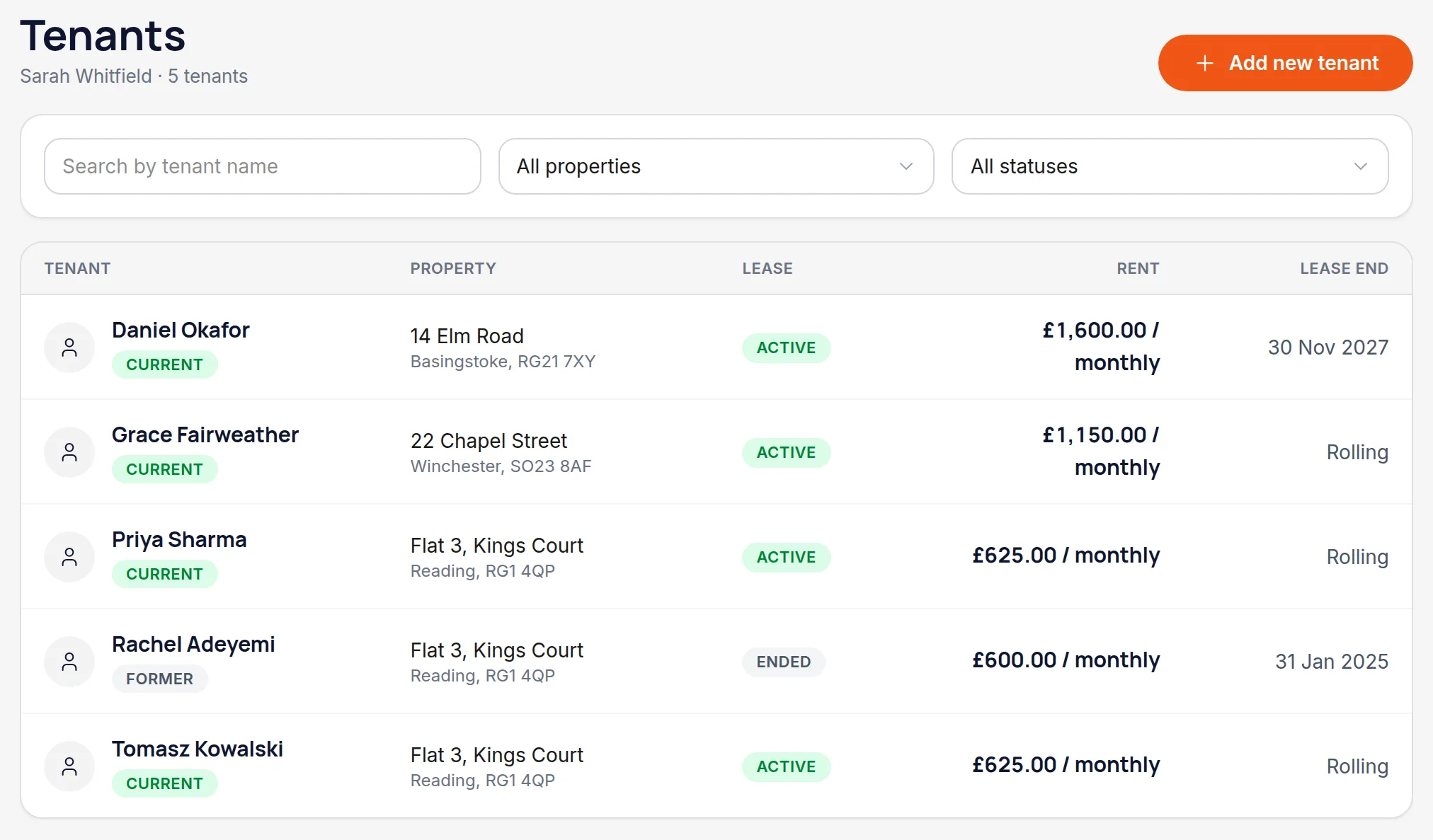
Tenants lists everyone currently in a property, with former tenants kept separately rather than deleted.
Enter their details
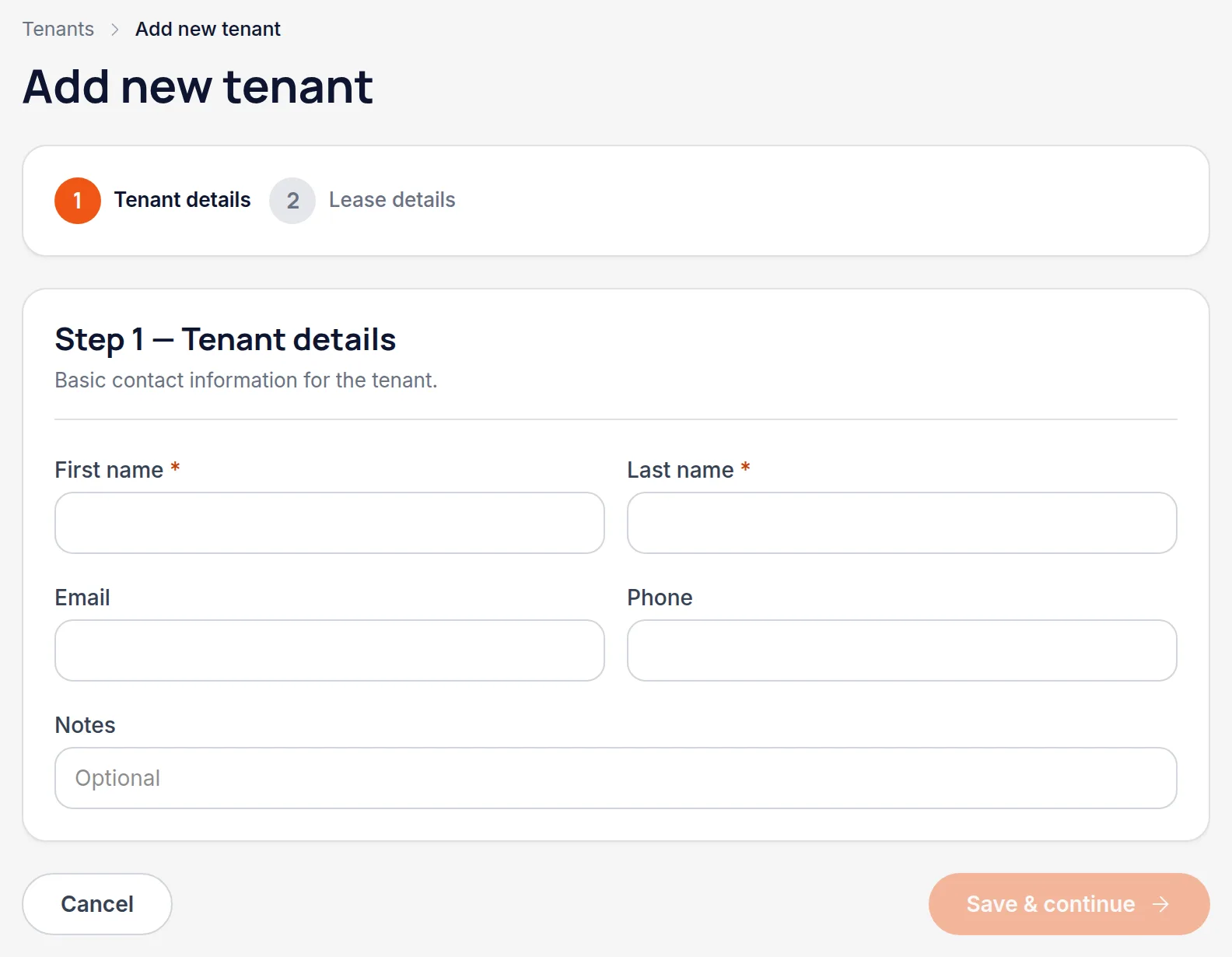
Name is required; email and phone are worth adding because they're what you'll reach for when something needs chasing. Notes is a free field for anything the record should carry — a guarantor, or that they've asked for post to go elsewhere.
Set the tenancy up
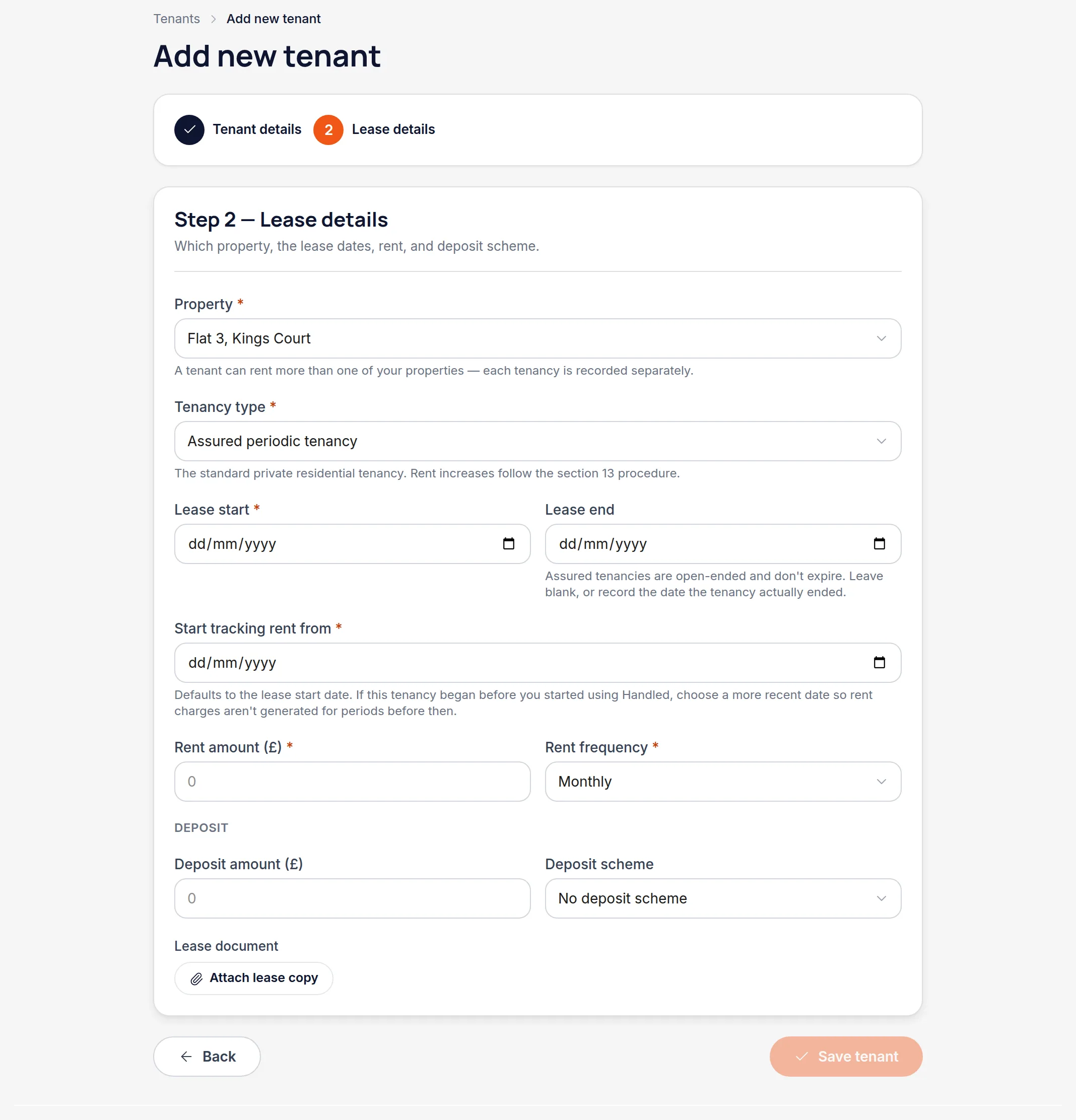
Step 2 links the tenant to a property and records the tenancy: type, start date, rent amount and how often it's paid, plus the deposit and which scheme it's protected in.
Worth knowingTenancy type isn't just a label. The rules on how often rent can be increased, and what notice is needed, depend on it — and Handled uses it when it warns you about a proposed increase.
Choose when rent tracking starts
"Start tracking rent from" tells Handled which date to start expecting rent from. Set it to the tenancy start if you want the full history, or to today if you're moving an existing tenancy across and don't want months of historic rent showing as unpaid.
Worth knowingThis is the single field most worth getting right when you're importing an established tenancy. It decides whether the rent account opens clean or opens in arrears.
Save, and check the rent account
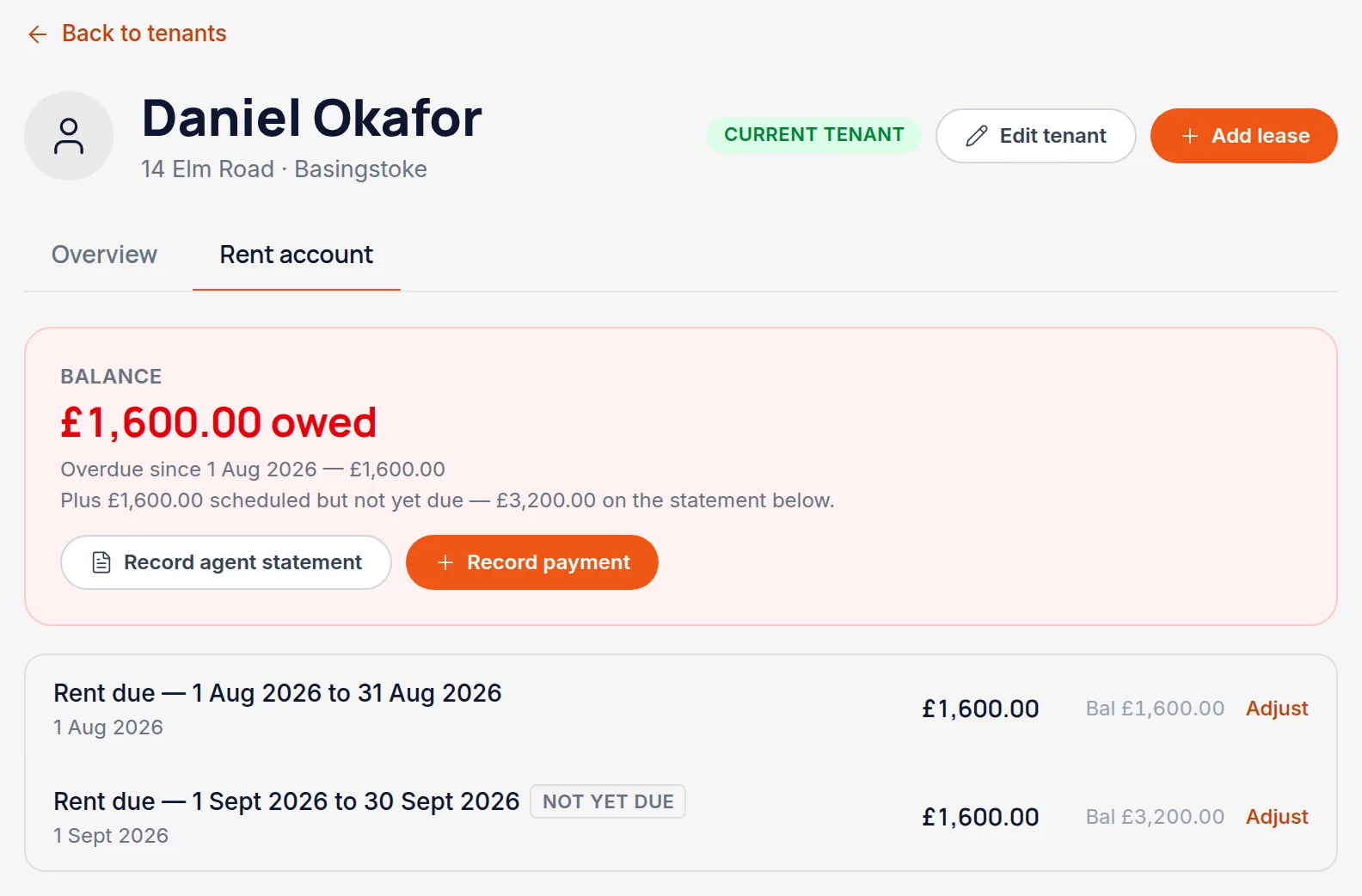
The tenant's page has a Rent account tab showing what's due, what's been paid, and the running balance. From the moment the tenancy is saved, Handled raises the rent charges for you on the schedule you set.
All names, addresses and figures in these screenshots are illustrative sample data.
Related
Match a payment to the rent charge it settles, so the balance stays honest.
Record an increase from the date it takes effect, without disturbing rent already paid.
Record a second property for the same tenant, or move them from one of yours to another.
Didn’t answer your question?
Email support@handledproperty.co.uk and tell us what you were trying to do. Or browse the rest of the knowledge base.