Add your first property
A property is the thing tenants, rent and expenses all attach to, so it's the first record to create. The form is split into steps and you can leave the later ones until you have the paperwork in front of you.
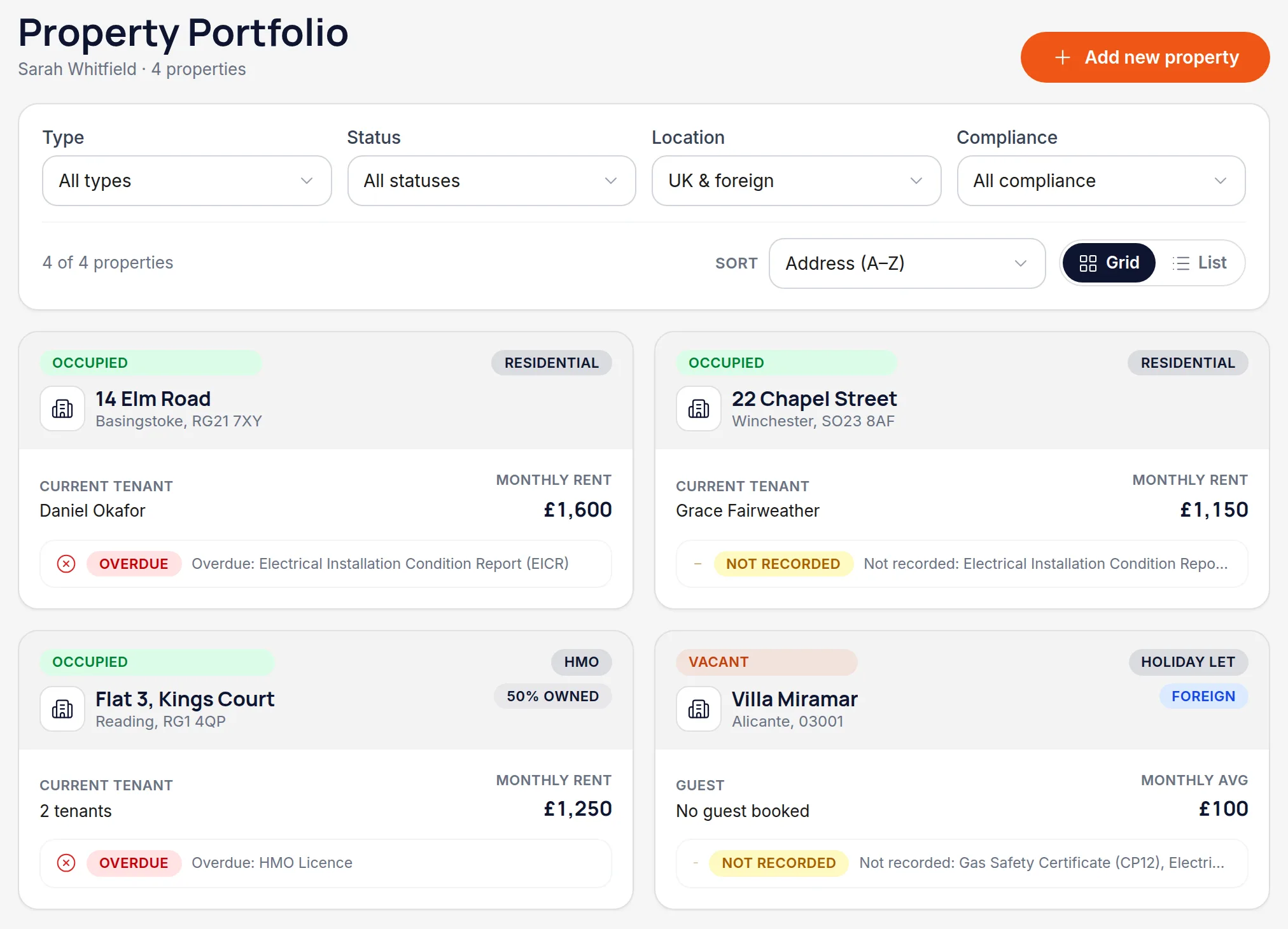
Open the portfolio and choose Add property
Go to Portfolio in the left-hand navigation. On a phone it's in the bottom tab bar. If this is a brand-new account the screen will be empty apart from the button.
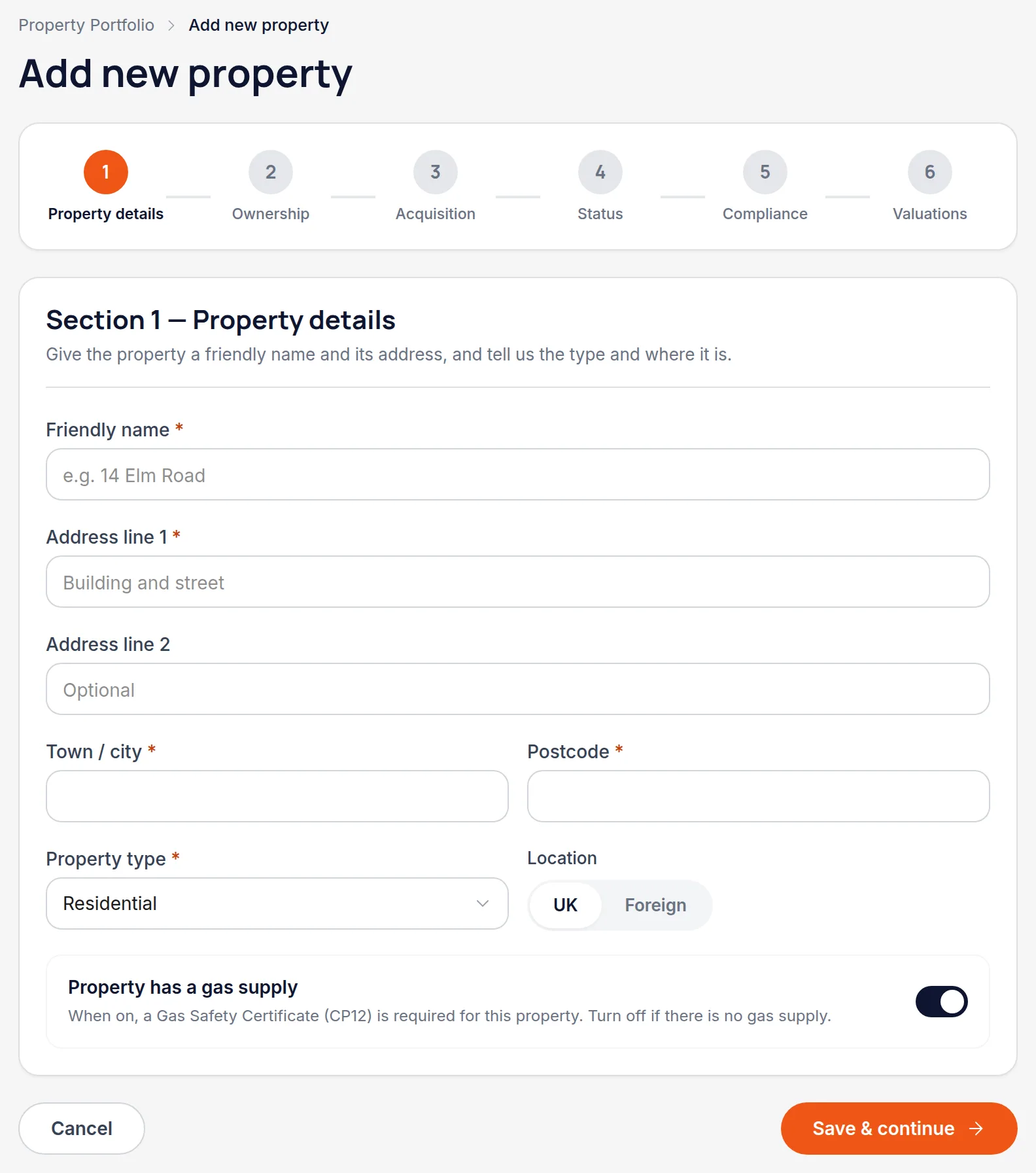
Give it a friendly name and address
Friendly name is what you'll see everywhere else in the app, so use whatever you actually call the property — "14 Elm Road" or "the Winchester flat". Then fill in the address, pick the property type, and say whether it's in the UK or overseas. Choose overseas and Handled asks which country it's in.
Worth knowingUK and overseas property are separate businesses for MTD purposes, and Handled keeps their figures apart. Getting this right now saves untangling it later.
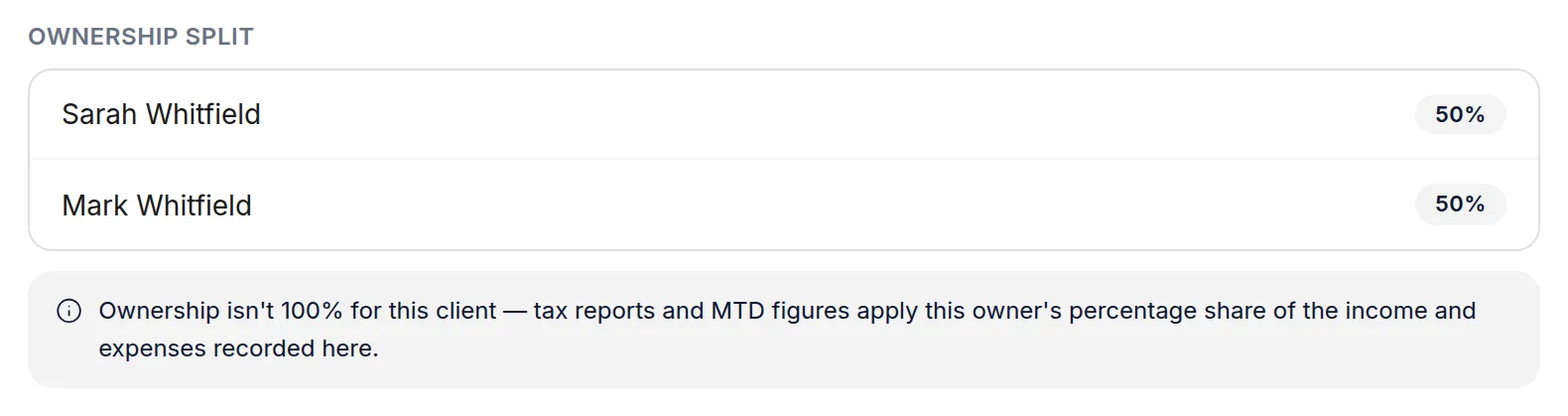
Record who owns it, and what share
Step 2 is ownership. If you own the property outright, leave it as it is. If it's jointly owned, add each owner and their percentage — the shares have to add up to exactly 100% before you can continue. Once saved, the split is shown on the property's own page.
Worth knowingShares aren't cosmetic: they're applied to every figure the property produces. A 50% share contributes half its income to your quarterly totals.
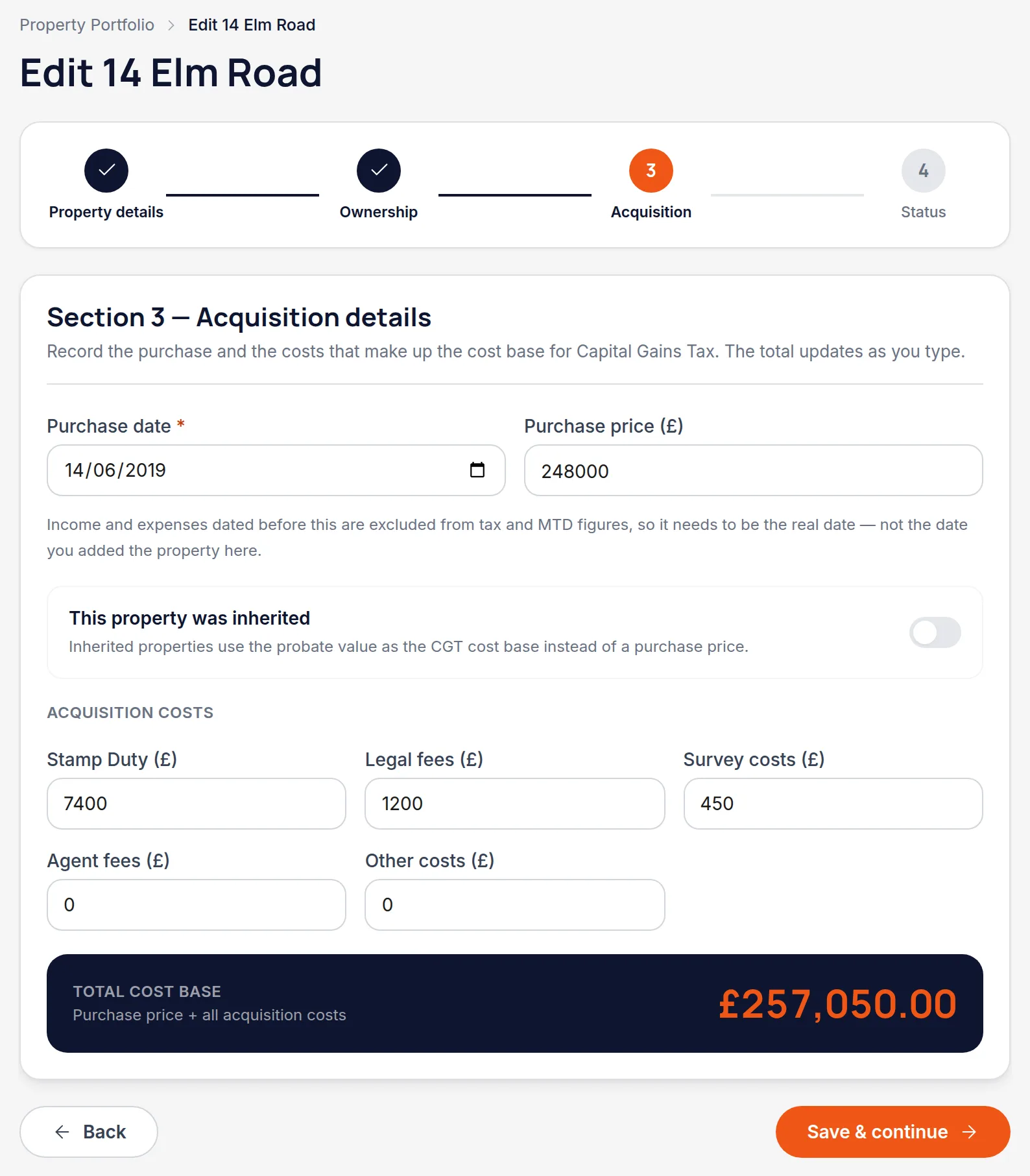
Record when you acquired it
Step 3 is the purchase date and what the property cost you — price, stamp duty, legal fees, survey, agent fees. The costs are optional and you can come back to them, but the date is required and the form won't let you past this step without it. If the property was inherited, tick that box: the field becomes the date of acquisition and the probate value stands in for a purchase price.
Worth knowingThe date isn't only for Capital Gains. It's the date your ownership of the property starts, and anything dated before it sits outside that window — so a purchase date typed as this year on a property you've held since 2019 would quietly drop every earlier transaction out of your tax figures.
Save, then add certificates and valuations
Once the property is saved, its own page has tabs for Compliance and Valuations. That's where gas safety, EICR, EPC and the rest live — Handled tracks their expiry dates and warns you before they lapse.
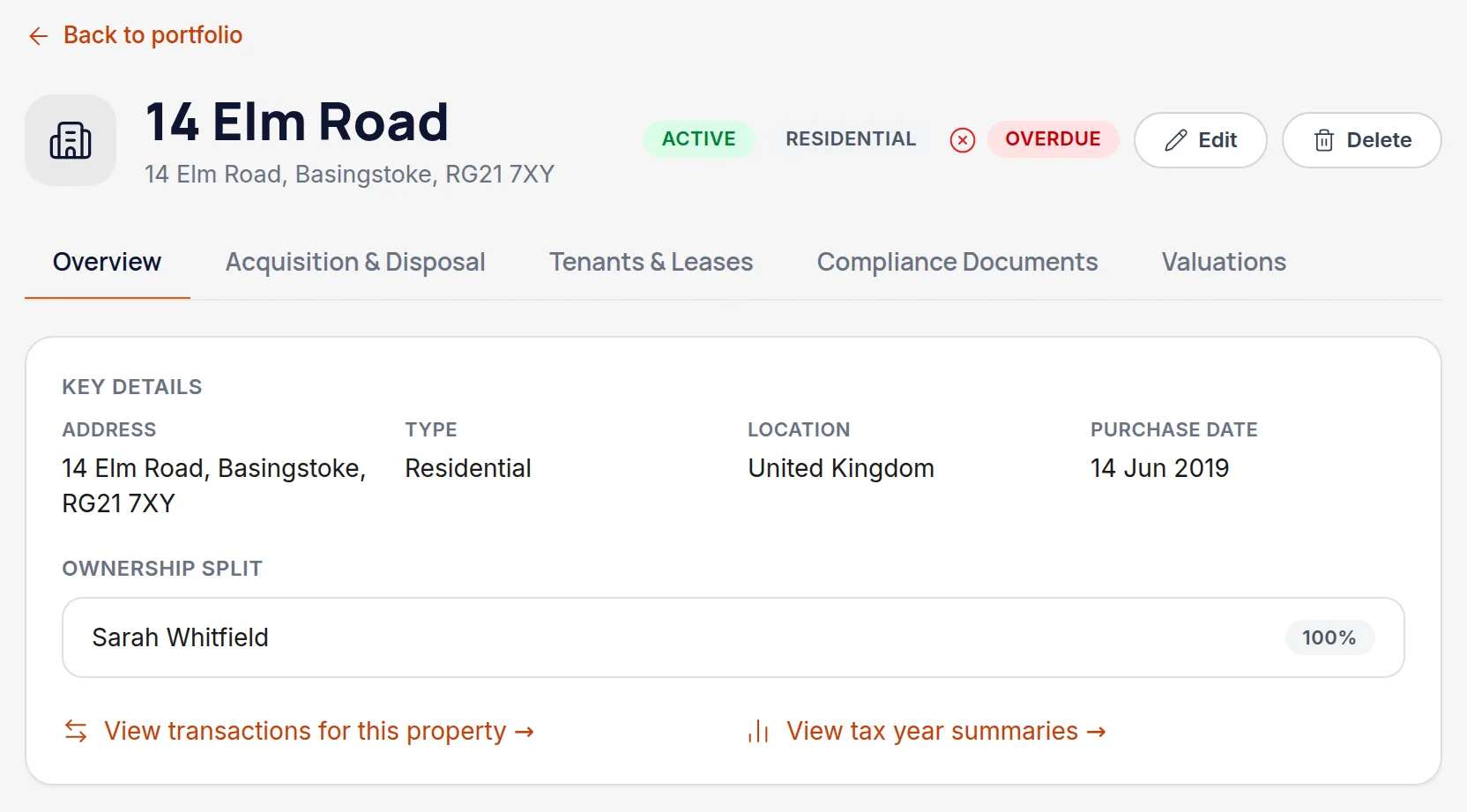
All names, addresses and figures in these screenshots are illustrative sample data.
Related
Create the tenant, link them to a property, and set the rent, dates and deposit scheme.
Record gas, electrical and energy certificates so you're warned before they expire, not after.
Why a half-owned flat contributes half, and how co-owners see the same property.
Didn’t answer your question?
Email support@handledproperty.co.uk and tell us what you were trying to do. Or browse the rest of the knowledge base.