Keep certificates from lapsing
Compliance documents sit on the property, each with an issue date and an expiry. Handled counts them down and tells you while there's still time to book the engineer.
Open the property's Compliance tab
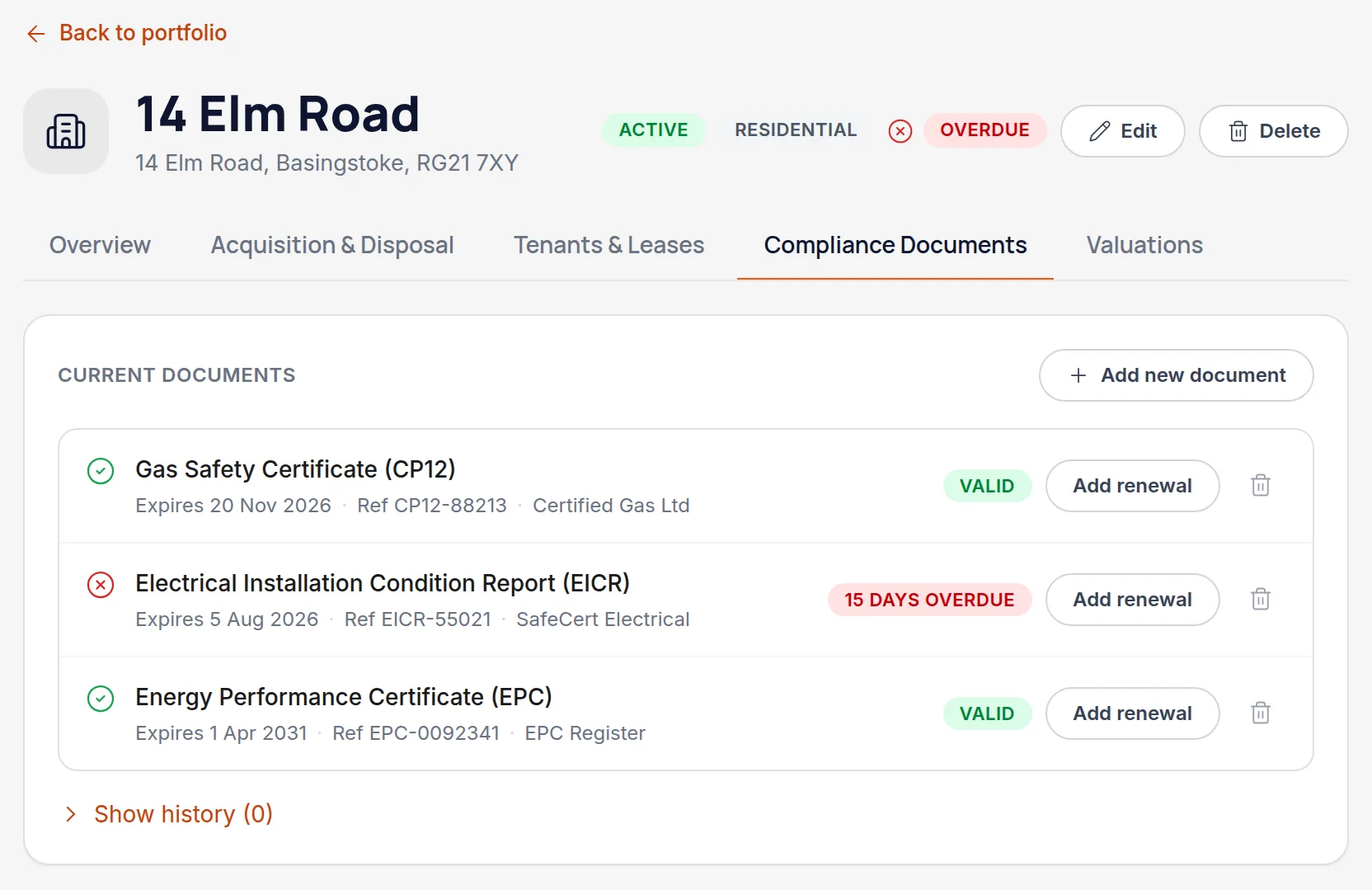
Every certificate type the property needs is listed, whether or not you've recorded one yet.
Add the certificate and its dates
Record when it was issued and when it expires. Attach the PDF at the same time — the certificate is only useful if you can produce it.
Watch the badge, not the calendar
Each certificate carries a badge: valid, a countdown once it's within 60 days of expiry, or how many days overdue it is once the date has passed. The 60-day warning is deliberately early, because a gas safety check needs booking rather than merely noticing.
Let the dashboard do the chasing
Anything expiring across the whole portfolio surfaces on the dashboard, so you don't have to open each property to find out. Accountants see it per client.
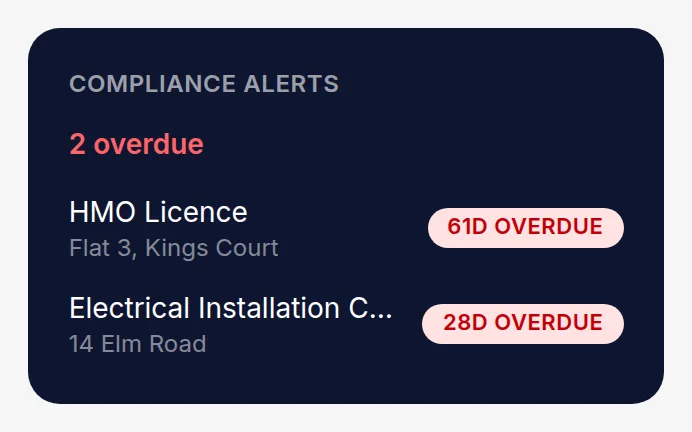
All names, addresses and figures in these screenshots are illustrative sample data.
Related
Didn’t answer your question?
Email support@handledproperty.co.uk and tell us what you were trying to do. Or browse the rest of the knowledge base.