Find your way around
The dashboard is built to answer the questions you'd otherwise go looking for. It's worth two minutes to know what each part of it means.
Read the dashboard top to bottom
Occupancy and arrears first, then the next MTD deadline, then anything expiring. The point is that nothing needing attention should require you to go and find it.
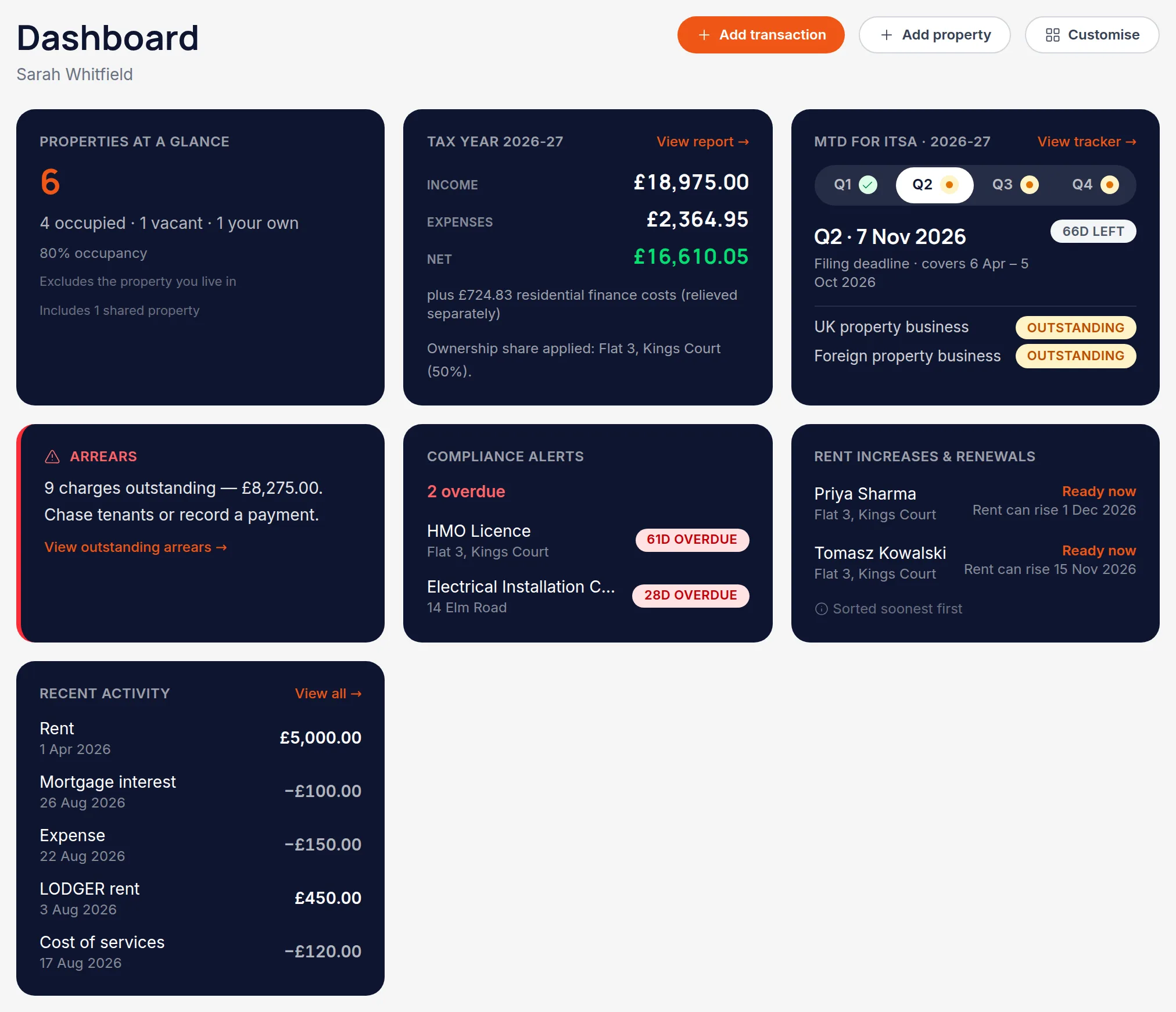
Use the left-hand navigation for everything else
Portfolio, Tenants, Transactions, MTD, Reports, Contacts and Settings. Accountants get a client hub above these, and switch between clients from there.
It's the same app on a phone
Below tablet width the navigation becomes a bottom tab bar and the cards stack. Nothing is missing on mobile — you can record a payment or check a deadline between viewings.
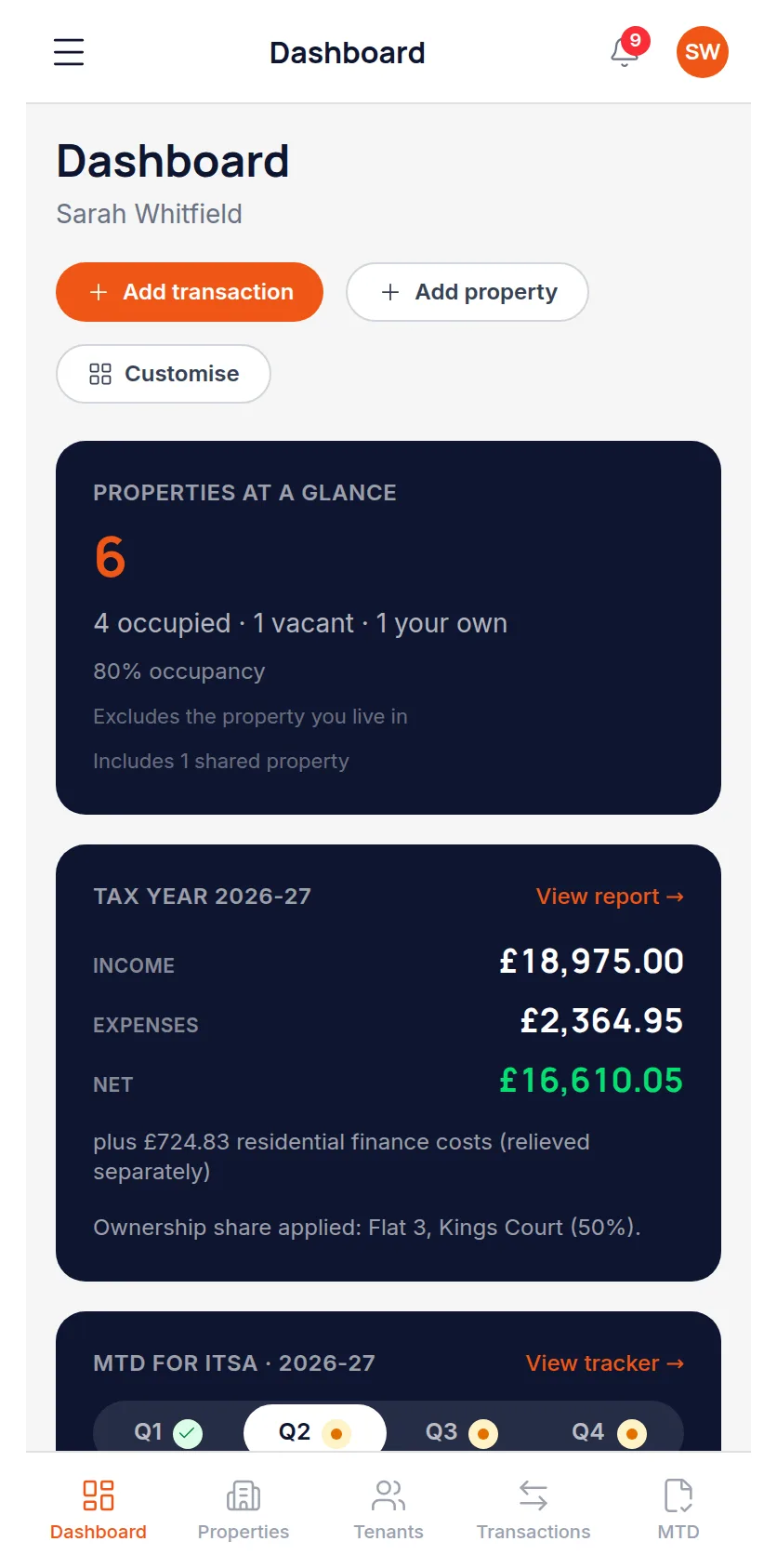
All names, addresses and figures in these screenshots are illustrative sample data.
Related
Match a payment to the rent charge it settles, so the balance stays honest.
See cumulative income and expenses per property business, and what each deadline needs.
Six reports covering tax, income, arrears, yield and valuation — and how to print them.
Didn’t answer your question?
Email support@handledproperty.co.uk and tell us what you were trying to do. Or browse the rest of the knowledge base.