Check your quarterly figures
The MTD screen works the figures out from the transactions you've already recorded. There's nothing to compile — the job is checking it looks right before the figures are used.
Open MTD for ITSA
Year-to-date income, expenses and net position sit at the top, with the year's quarters below. Each quarter shows its period, its deadline, and whether anything is outstanding.
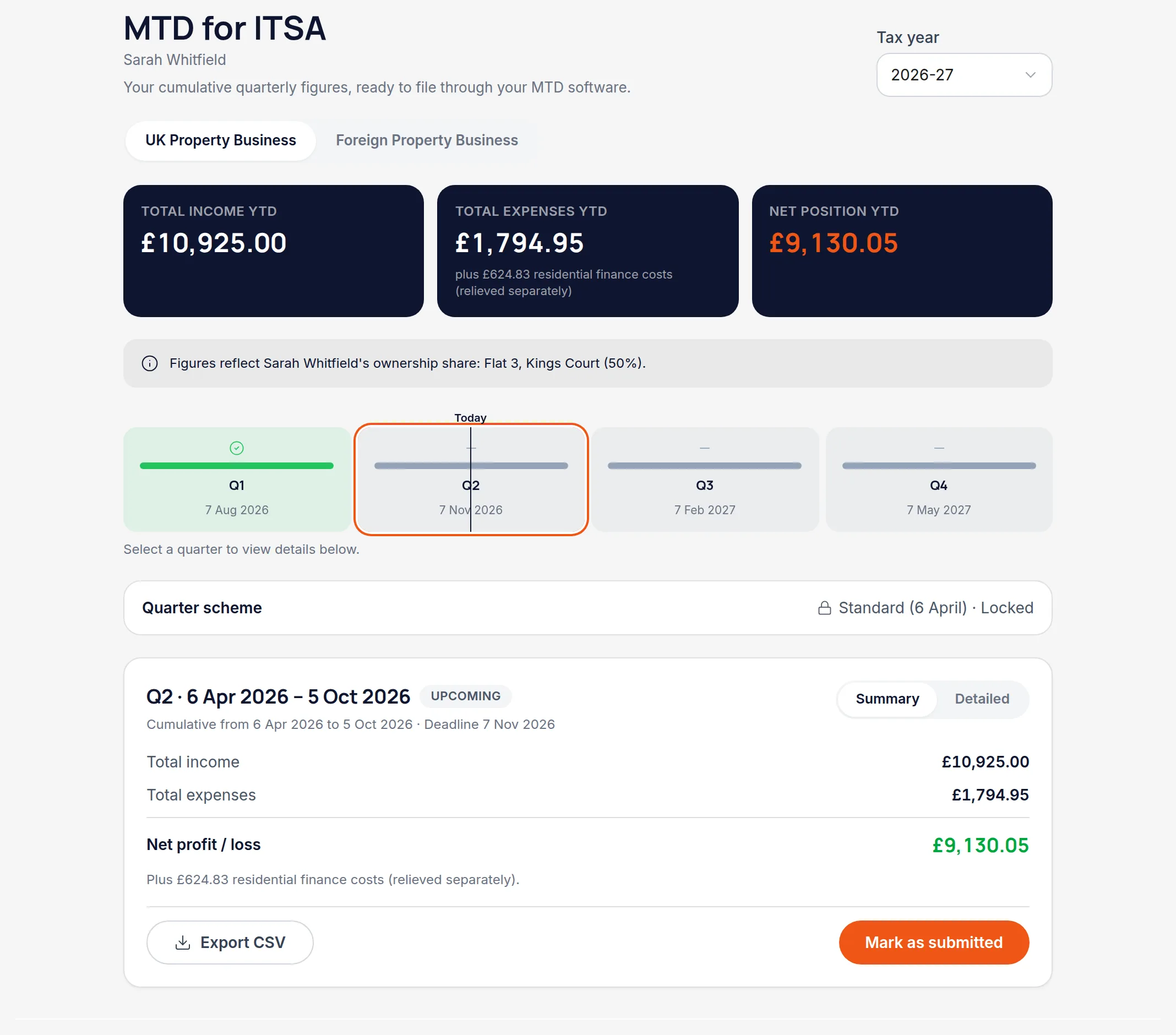
Select a quarter to see what's in it
The panel below breaks the quarter down by category, so an unexpected total can be traced to the transactions behind it rather than taken on trust.

Check UK and overseas separately
They're separate property businesses and each has its own figures. If you don't own overseas property you'll only ever see the UK set.
Remember the figures are cumulative
MTD quarterly updates run year-to-date, not quarter-in-isolation. Q3's figures include Q1 and Q2, which is why a correction to an earlier quarter changes the later ones too.
Worth knowingIf you record something after marking a quarter as submitted, Handled flags that the figures have changed since — so a late receipt can't quietly diverge from what you filed.
All names, addresses and figures in these screenshots are illustrative sample data.
Related
Get the quarter's numbers out for your MTD software, then note the submission against the quarter.
Why a half-owned flat contributes half, and how co-owners see the same property.
Put a cost against the right property and the right HMRC category.
Didn’t answer your question?
Email support@handledproperty.co.uk and tell us what you were trying to do. Or browse the rest of the knowledge base.