Export your figures, and record what you filed
Handled keeps the records and works out the figures. The filing itself happens in whatever MTD-compatible software you or your accountant already use — so the last step here is getting the numbers out cleanly and noting what happened to them.
Open the quarter you're filing for
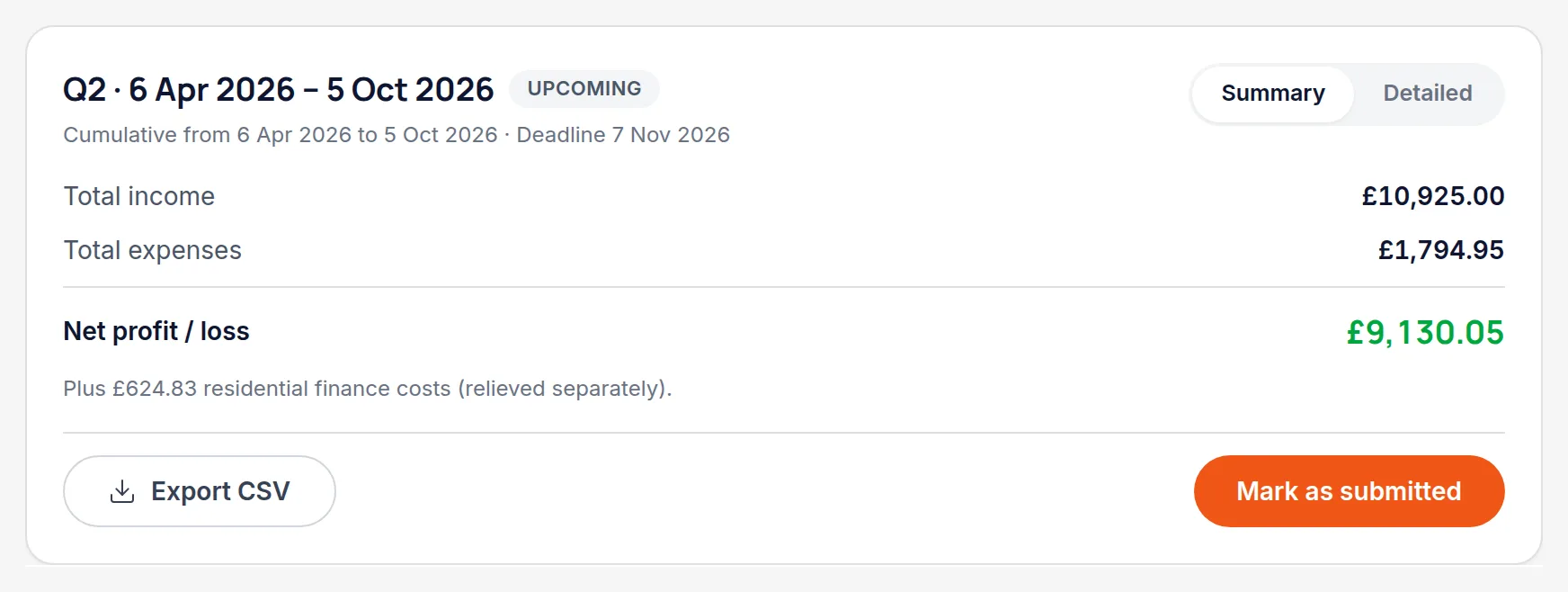
Check the breakdown first. It's much easier to spot a miscategorised expense here than after it's been submitted.
Export the figures
The quarter's totals export in a form you can hand to your filing software or your accountant, broken down by the categories HMRC expects.
File in your MTD software
That step happens outside Handled. Handled is not an HMRC-recognised filing product and doesn't submit anything on your behalf.
Worth knowingThis is a deliberate boundary, not a missing feature — Handled is the record keeping and the figures, not the filing.
Mark the quarter as submitted
Come back and record that it's been filed, with the submission reference your filing software gave you. The quarter stops showing as outstanding, and you have a record of what was sent and when.
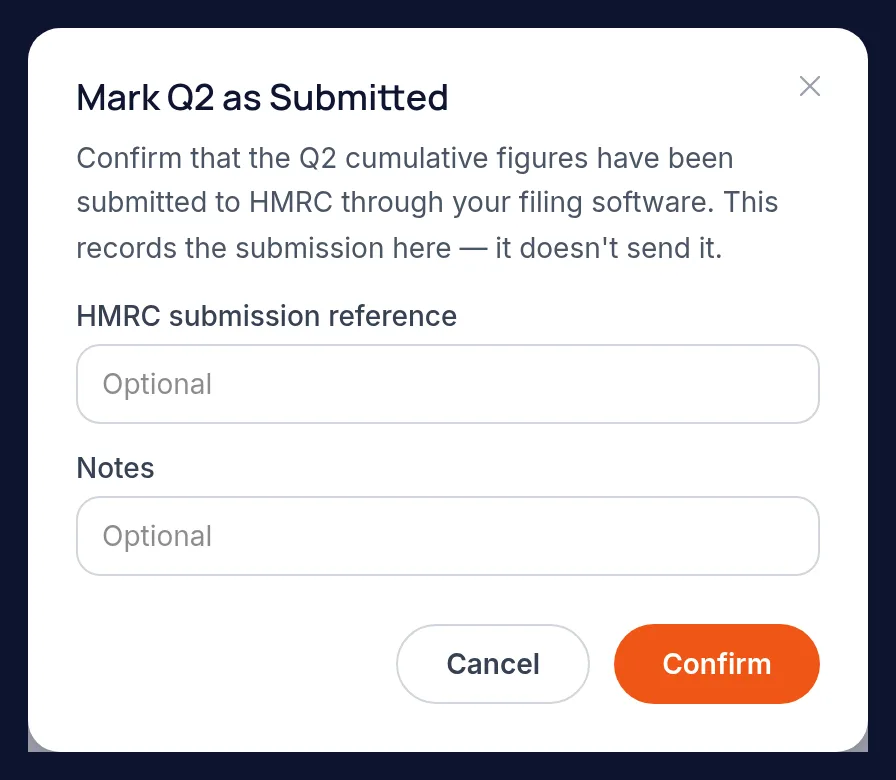
All names, addresses and figures in these screenshots are illustrative sample data.
Related
See cumulative income and expenses per property business, and what each deadline needs.
Six reports covering tax, income, arrears, yield and valuation — and how to print them.
Why a half-owned flat contributes half, and how co-owners see the same property.
Didn’t answer your question?
Email support@handledproperty.co.uk and tell us what you were trying to do. Or browse the rest of the knowledge base.