Jointly owned property and ownership shares
Handled applies ownership shares to figures automatically. You record the property once, with its shares, and your totals reflect your part of it.
Set the shares on the property
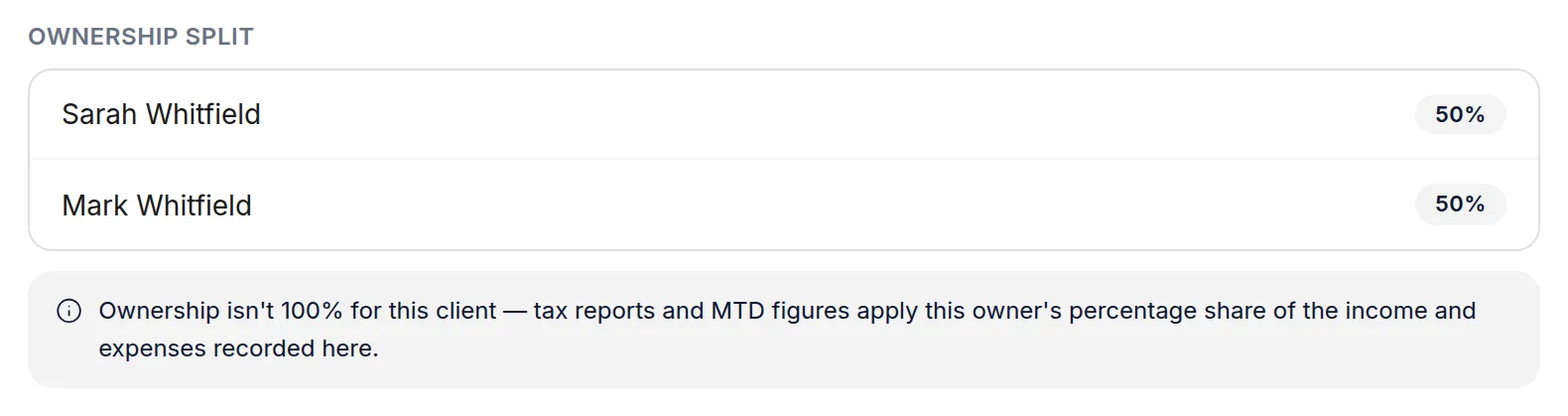
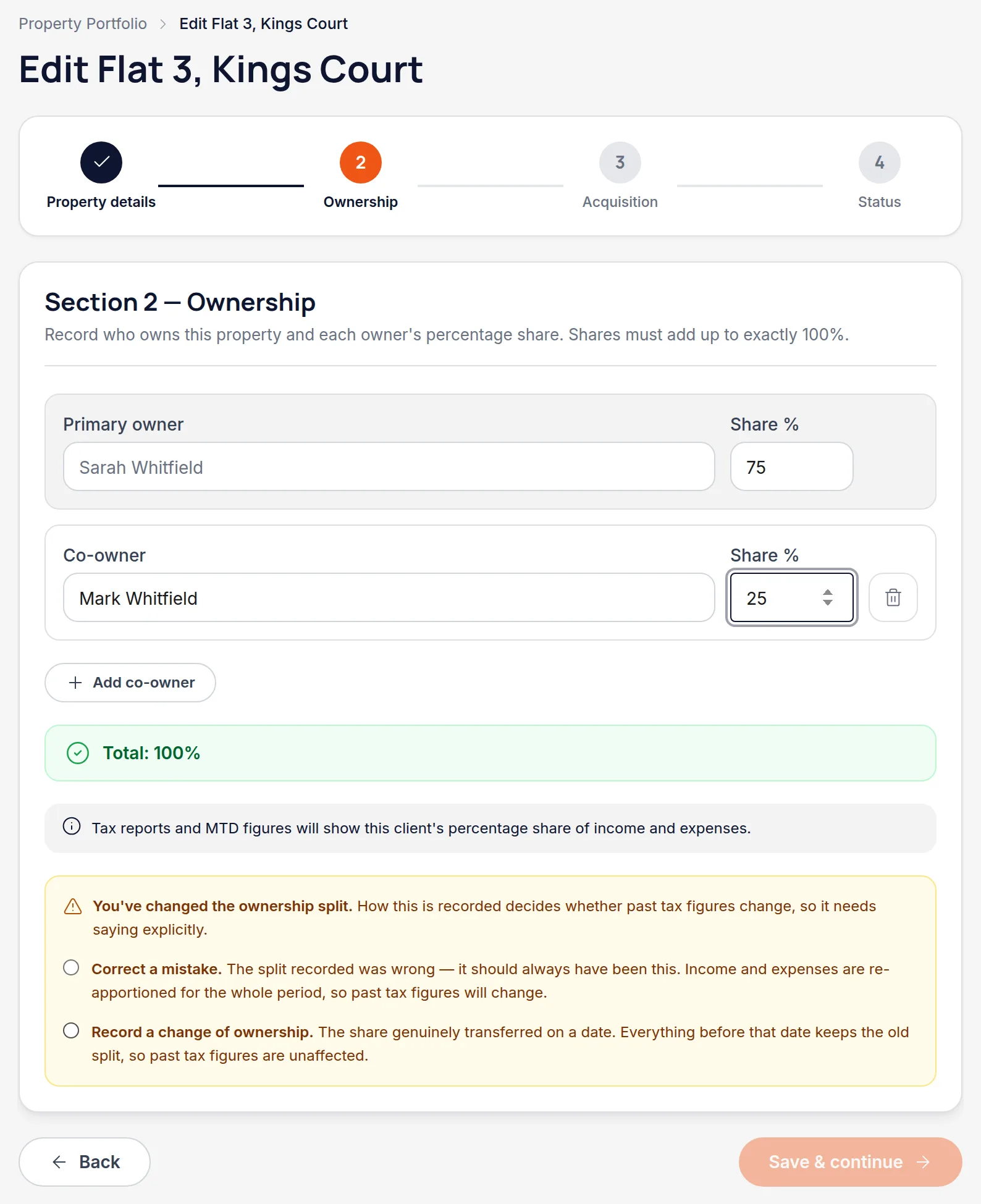
On the property's Ownership step, list each owner and their percentage. The shares have to total exactly 100% — the form won't let you past otherwise. The property page then shows the split, and flags that figures are apportioned.
Figures follow the share, everywhere
A 50% share means half the rent and half the costs land in your quarterly figures, your reports and your tax year summary. You don't apportion anything by hand.
Worth knowingRecord the property's actual rent and actual costs — the full amounts. Handled takes your share of them. Halving the figures yourself would halve them twice.

If the split changes later, say which kind of change it is
Edit the property's Ownership step and change a percentage, and Handled stops to ask one question before it will let you continue. Choose “Correct a mistake” if the split recorded was simply wrong and should always have been this — income and expenses are re-apportioned for the whole period, so past figures change. Choose “Record a change of ownership” if the share genuinely transferred, and give the date it took effect — everything before that date keeps the old split.
Worth knowingThere's no default, on purpose. The two answers do opposite things to tax years you may already have filed, so this is one question Handled won't guess at. Transferring a quarter of a property to a spouse in October is a change; discovering the deed said 60/40 all along is a correction.
Give a co-owner their own access
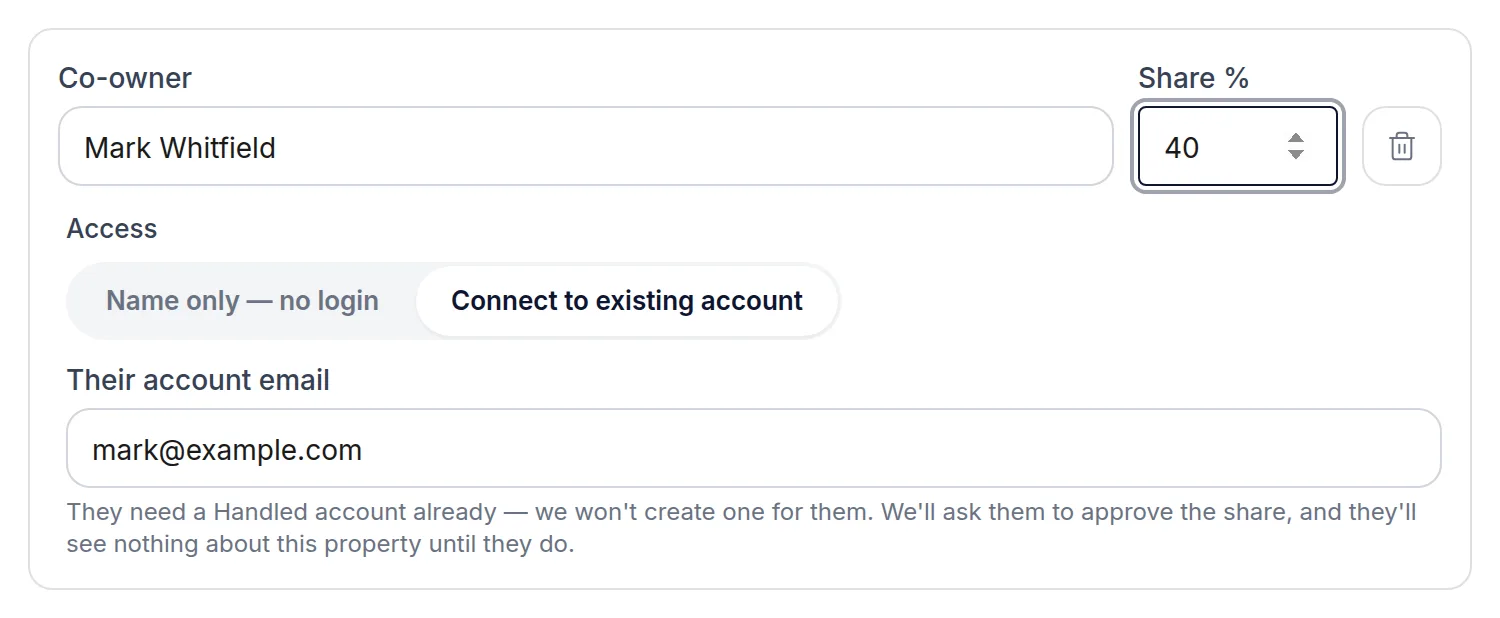
Switch that owner's Access to “Connect to existing account” and give the email address they sign in with. They need a Handled account already — Handled won't create one for them, and an address it doesn't recognise is refused. Leaving an owner as name only is fine too, and is the right choice for someone who isn't going to use Handled: it records their share for your figures without sharing anything with anyone.
They approve it before they see anything
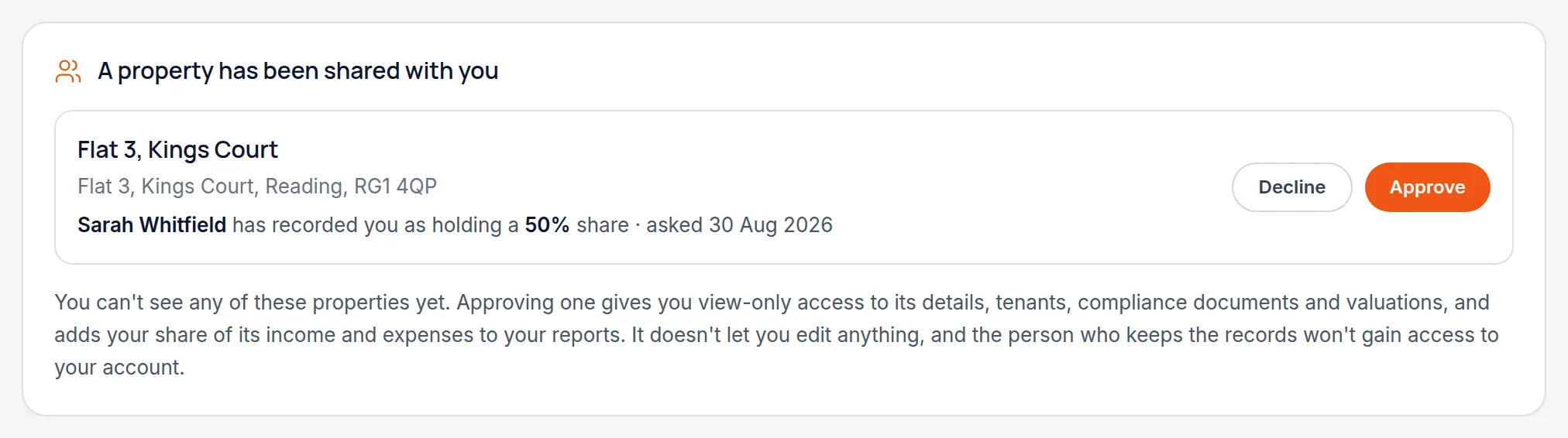
The co-owner gets a request in their own account naming the property, its address, who keeps the records and the share you've recorded for them — and nothing else. Until they approve, they can't see the property, its tenants, its documents or any of its figures. They can decline, and you'll be told.
Worth knowingYour own figures don't wait for their answer. The moment you record the split your reports show your share, so a 60/40 property contributes 60% to you whether or not they have approved yet.
What each of you can do afterwards
A co-owner sees the shared property and nothing else of yours — not your other properties, tenants or figures — and you see nothing of theirs. Their access is view-only: they can read the records and take their share into their own reports, but only the person who keeps the records can change them.
Worth knowingIf you later remove someone's share, they lose sight of the property straight away — but their own reports still cover the years they owned it, which is what they need to file.
If an accountant manages one of you
A firm can link a co-owner who's already a client of theirs, so the property joins up without a second invitation. Two different firms each managing one spouse isn't supported yet.
All names, addresses and figures in these screenshots are illustrative sample data.
Related
Create the property record everything else hangs off — address, type, ownership and status.
See cumulative income and expenses per property business, and what each deadline needs.
Create the client, give them a reference, and decide whether they get their own login.
Didn’t answer your question?
Email support@handledproperty.co.uk and tell us what you were trying to do. Or browse the rest of the knowledge base.