Add a client to your firm
A client is a landlord whose records your firm keeps. You can hold the records entirely on their behalf, or give them a login so they can do the day-to-day themselves.
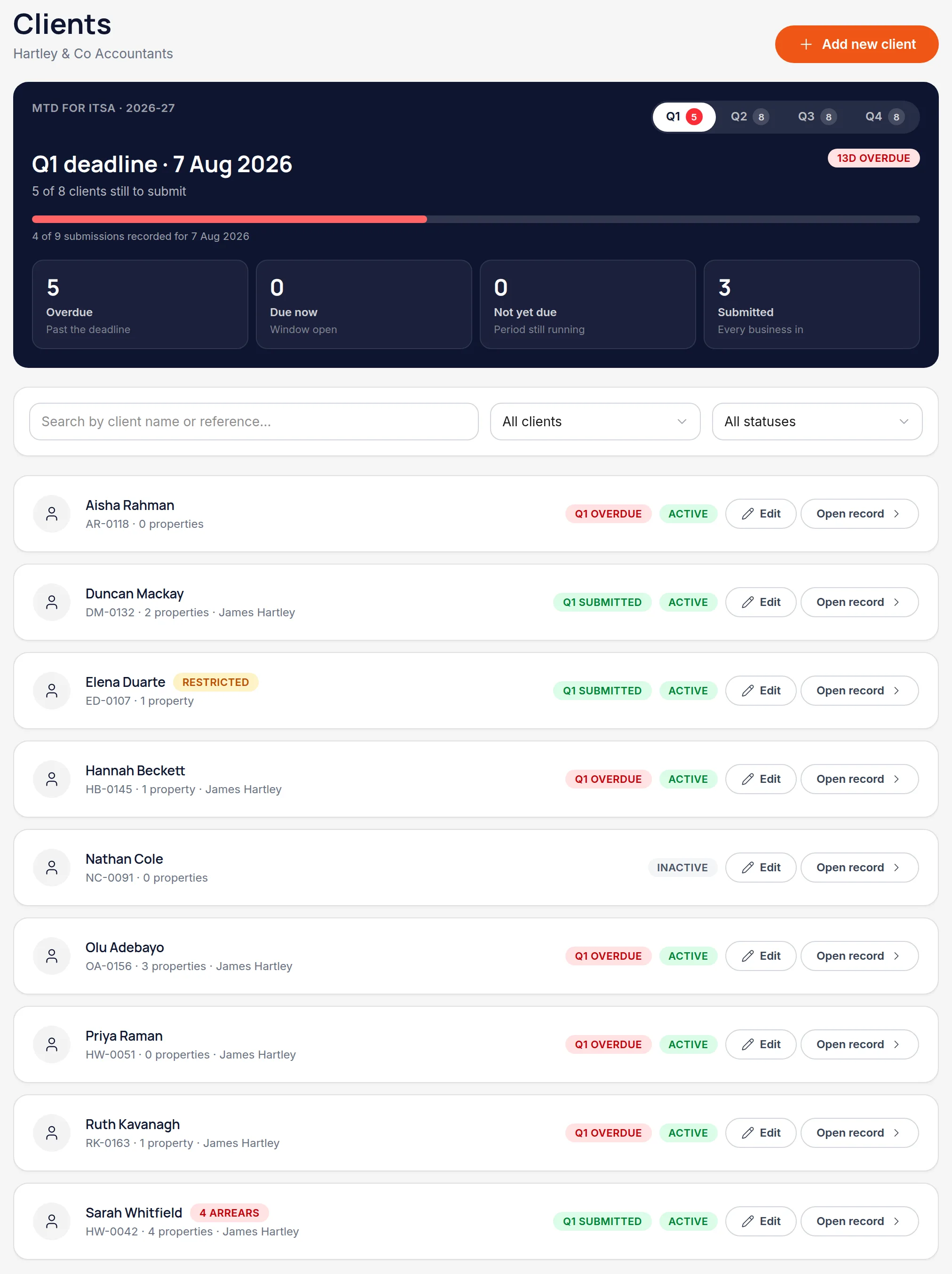
Open the client hub and choose Add new client
The hub lists every client with your reference, their property count and anything in arrears.
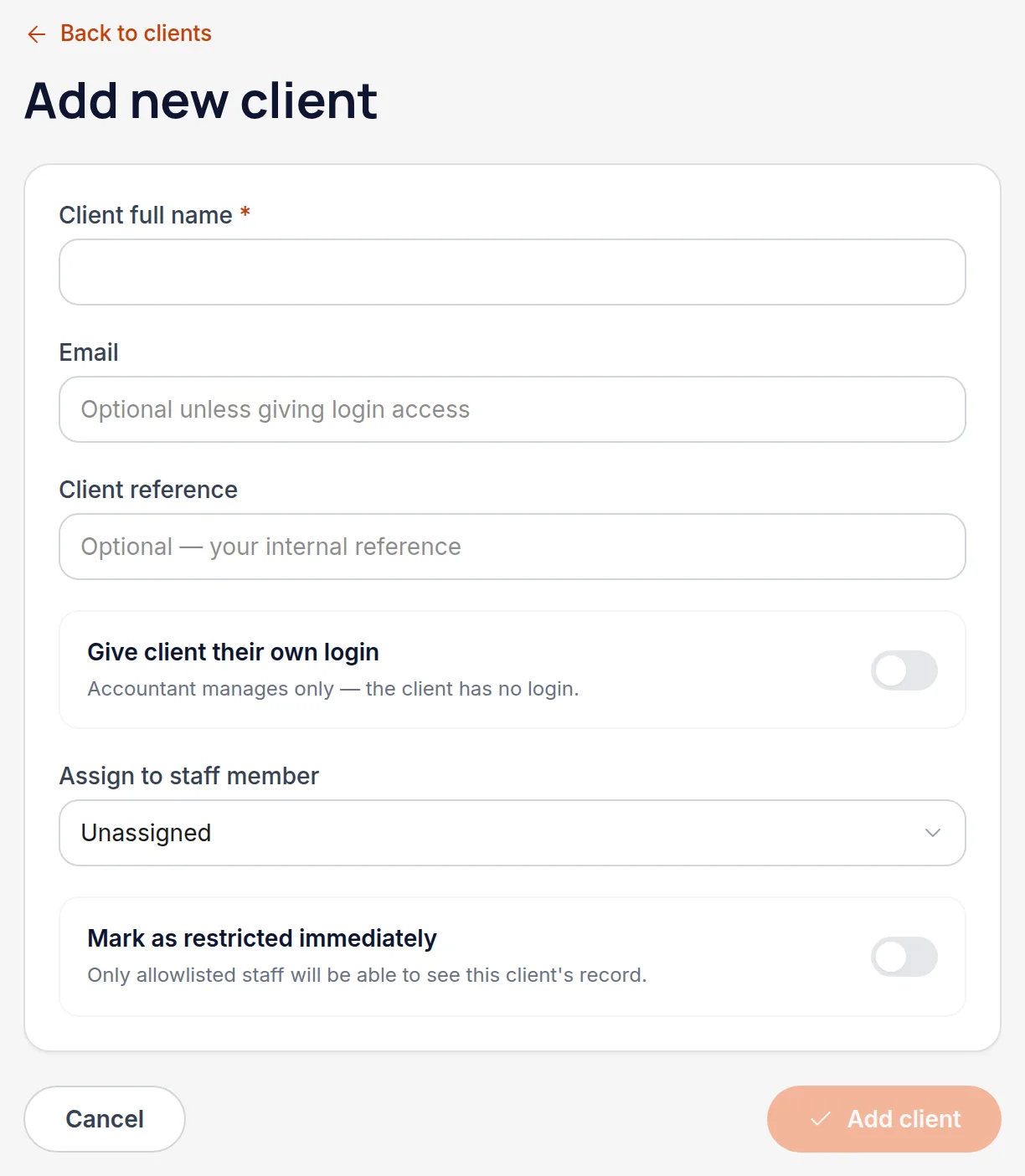
Enter their name and your reference
Client reference is your own — whatever your practice management system calls them. It's shown throughout the hub so the two systems line up.
Decide about a login
"Give client their own login" sends them an invitation. Leave it off and the records stay entirely with your firm — appropriate for a client who'd rather post you a shoebox of receipts.
Assign a staff member
Assigning the client to someone makes ownership clear in the hub. It's separate from permissions — who can see the client is decided by their staff access, covered next.
All names, addresses and figures in these screenshots are illustrative sample data.
Related
Control what each member of staff can do, and which clients they can see at all.
For a landlord who keeps their own records and wants their accountant to see them.
Why a half-owned flat contributes half, and how co-owners see the same property.
Didn’t answer your question?
Email support@handledproperty.co.uk and tell us what you were trying to do. Or browse the rest of the knowledge base.