Record rent as it arrives
Handled raises a rent charge each period automatically. Recording rent is a matter of telling it which charge a payment settles — that's what keeps arrears meaningful rather than guesswork.
Open the tenant's Rent account
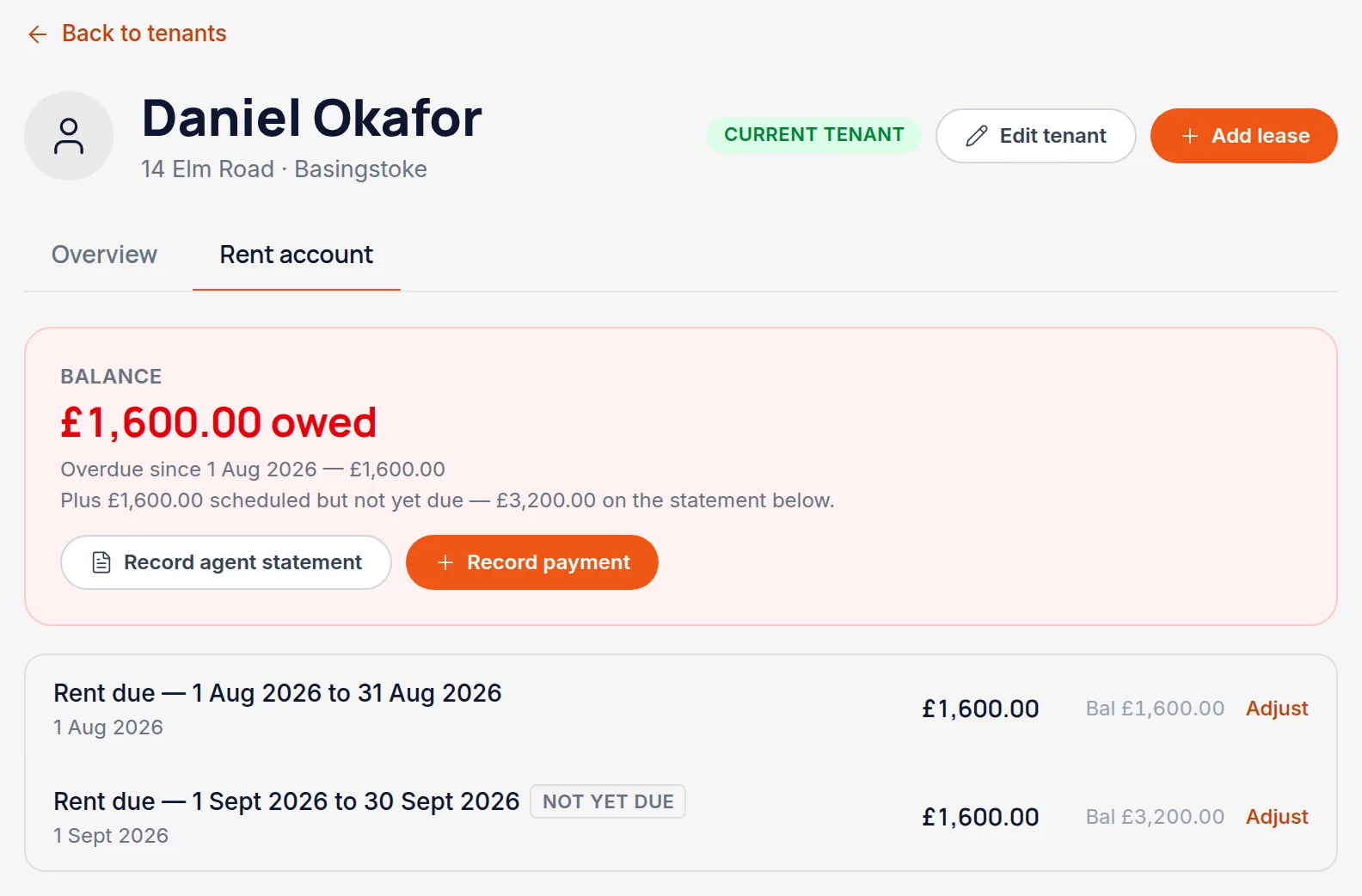
Find the tenant and choose the Rent account tab. Each period shows the charge raised, anything paid against it, and whether it's settled, part paid or outstanding.
Read the headline as “owed today”
The big figure at the top is what's owed today — charges that have already fallen due, less everything paid. Handled raises each period's charge about a month ahead, so the statement below usually carries a row that hasn't come due yet; those are badged “Not yet due” and the line under the headline tells you how much of the statement total they account for.
Worth knowingThis is why the headline and the last row of the statement can differ. The headline answers “is this tenant behind?” and matches the Arrears Summary report; the running balance answers “what does the whole ledger come to?”. A tenant who pays next month early shows as being in credit.
Choose Record payment on the charge that was paid
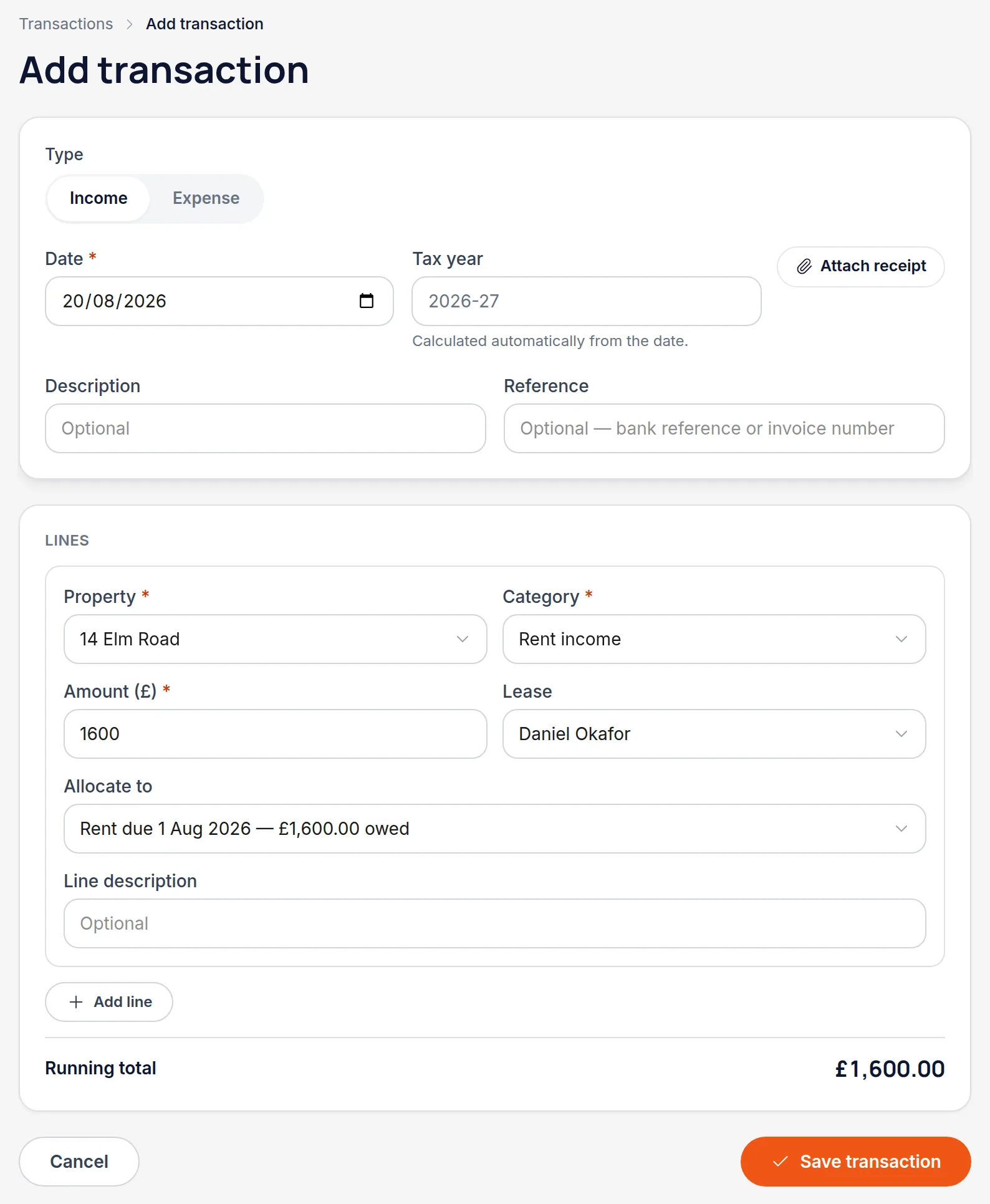
This opens the transaction form already filled in — property, tenant, amount and the rent category are all carried across, and "Allocate to" is already pointing at the charge you started from. Most of the time you're only confirming the date.
Worth knowing"Allocate to" is the field that matters. It's what ties the payment to a specific month's charge, and it's why the balance can tell you which month is short rather than just that something is.
Adjust the amount if they paid part of it
Change the amount to what actually landed. The charge stays open for the remainder and the balance reflects the shortfall, rather than the payment being recorded as if it cleared the month.
Save
The rent account updates immediately, and the arrears figures on your dashboard and in the Arrears Summary report update with it.
Worth knowingIf you record the same payment twice, Handled notices and asks before saving — the warning is there because a duplicate rent payment silently flatters your arrears figure.
All names, addresses and figures in these screenshots are illustrative sample data.
Related
Create the tenant, link them to a property, and set the rent, dates and deposit scheme.
Put a cost against the right property and the right HMRC category.
Six reports covering tax, income, arrears, yield and valuation — and how to print them.
Didn’t answer your question?
Email support@handledproperty.co.uk and tell us what you were trying to do. Or browse the rest of the knowledge base.